


Blog, Internal Communication
25 Best internal communication tools for Businesses in 2026 and guide to choose the best one
- By Vinod Kumar VR
- No Comments


- Published on
- 20 min read
In the ever-evolving business world, where change is the only constant, effective internal communication has become a vital pillar of organizational success. Internal communication refers to the exchange of information, ideas, and feedback among employees at all levels of an organization using structured internal communication tools and internal communications platforms.
It encompasses a wide range of activities, from team meetings and project updates to company-wide announcements and employee recognition programs, often supported by modern internal communication tools in an organization.
An internal communication tool is a software or platform that enables seamless and efficient information sharing, collaboration, and engagement within an organization. These internal communication tools play a crucial role in fostering a cohesive workplace culture, enhancing employee productivity, and driving business growth through features such as instant messaging tools, an intranet platform, and even a drag and drop email builder. According to a study by the International Association of Business Communicators (IABC), organizations with effective internal communication are 3.5 times more likely to outperform their peers.
Internal communication strategies, often implemented through internal communication software and internal communication platforms for companies, aim to create a transparent, collaborative, and engaged workforce by promoting open dialogue, fostering team collaboration, enhancing employee engagement, and streamlining information flow across departments and teams.
In a rapidly evolving business environment, where remote and hybrid work models have become increasingly prevalent, the need for effective internal communication software with capabilities such as integration with Outlook and Gmail has become more critical than ever. According to a recent survey by PricewaterhouseCoopers, 83% of employers believe that a mix of in-person and remote work is optimal for their business, underscoring the importance of selecting reliable internal communication platforms that keep teams connected and aligned.
In this blog post, we will explore a comprehensive list of communication tools with examples, focusing on the best internal communication platforms available in 2026, highlighting their features, benefits, and suitability for businesses of various sizes and industries. Whether you’re looking to improve employee engagement, streamline collaboration, or foster a more transparent and inclusive workplace, this guide will provide you with the insights and recommendations you need to choose the right internal communication solution for your organization.
What are Internal communication tools?
Internal communication tools are software applications or platforms specifically designed to facilitate effective communication within an organization. These internal communication tools in an organization serve as essential mechanisms for promoting seamless information sharing, collaboration, and engagement among employees, teams, and departments through internal communications platforms. With the rise of remote and distributed workforces, internal communication platforms for companies have become even more critical in bridging communication gaps, enabling instant messaging tools, intranet platform access, and centralized collaboration, while fostering a cohesive work environment.
Top 25 Internal Communication Tools For Business in 2026
We have identified the best internal communication platforms under different categories for 2026 that will help to bridge the gap between employer and employees and boost productivity by improving employee engagement.
1. Clariti
Best Internal Communication Tool For Team Chat App:
Clariti stands out as one of the best internal communication tools for businesses due to its unique ability to integrate diverse communication channels into a unified platform. Unlike traditional tools that separate emails, chats, and files, Clariti brings them together into hybrid Conversations, ensuring all related discussions and information stay organized and contextually connected. This eliminates the chaos of switching between multiple apps, saving time and boosting efficiency.
Clariti also supports features like embedding emails into conversations, group sharing without forwarding, and scheduling events like calls and to-dos directly from emails, automatically linking participants and context. These capabilities streamline workflows and reduce clutter, making it easier for teams to collaborate effectively. For example, a project manager can seamlessly track a project’s email instructions, related chats, and shared files in a single conversation, ensuring no details are overlooked.
Additionally, Clariti’s AI-driven organization further enhances productivity by intuitively categorizing and connecting incoming communications. This innovative approach makes Clariti more than just a communication tool—it’s a comprehensive solution for managing internal collaboration and driving better outcomes for businesses.
Pros
- Context-based communication for organized collaboration.
- Integration of emails, chats, and documents in one platform.
- Centralized communication hub.
Cons
- Learning curve for users who are new to hybrid conversations.
Why did we choose this tool
- Integrates emails, chats, calls, and documents into hybrid Conversations for contextual collaboration.
- AI organizes communication by topic, improving clarity and productivity.
- Allows seamless email and chat integration without switching platforms.
Pricing
- Premium plans are available on request.
2. MirrorFly
Best Communication Solution For Building Team Chat Apps

MirrorFly is a popular in-app communication solution for mobile and web apps. It offers customizable SDKs and APIs comprising 1000+ video, voice and chat features that can be integrated into any app within a few hours.
Teams that already have a business app use their pre-built solution, customize it to their workflows and launch communication capabilities in less than 48 hours.
Above this, MirrorFly is also a popular choice among organizations for their custom security that allows developers to add any layers of encryption over built-in AES and SSL. Platforms can add this white-label solution to enable unlimited messaging, video conferencing, broadcasting, SIP/ VoIP, live streaming and AI agent solutions, while having the freedom to host on any server they prefer.
Pros
- 100% customizable features.
- Give full data control.
- Customizable security features.
Cons
- Does not support agenda creation for video meetings.
- AI video agent is still in Beta.
Why did we choose this tool
- Features that can be customized to align with any operational workflow.
- HQ audio and video calling, conferencing and broadcasting capabilities.
- Quick integration and full source code access.
Pricing
- Monthly subscription starts at $0.08 per user per month.
- Custom one-time license cost for self-hosting businesses.
3. Brosix
Best Internal Communication Platform For Secure, Private Team Messaging And Collaboration

Brosix is a secure team messaging platform that makes real-time communication easy for businesses of all sizes. It brings everything together—encrypted instant messaging, group chats, unlimited-size peer-to-peer (P2P) file transfers, voice and video calls, and screen sharing—all in one simple, user-friendly app.
Admins stay in control with a web-based Control Panel, where they can manage user permissions, chat history, and feature access to keep data secure and compliant. Brosix works smoothly across Windows, macOS, Linux, Android, iOS, and web browsers, so your team stays connected no matter the device. And with integrations to 5,000+ apps through tools like Zapier, it fits right into your existing workflow, streamlining collaboration and boosting productivity.
Pros
- Secure end-to-end encryption by default.
- All-in-one platform with chat, calls, and file sharing.
- Comprehensive admin controls for user and feature management.
Cons
- User interface can feel dated compared to newer collaboration platforms.
Why did we choose this tool
- A secure, private communication platform designed specifically for businesses.
- Supports real-time messaging, voice/video calls, and large file transfers.
- Easily integrates with popular business apps to streamline workflows.
Pricing
- Startup plan is free for up to 3 users.
- Premium pricing starts from: $4 per user/month if billed annually ($5 per user/month if billed monthly).
4. Supademo
Best internal communication software for Interactive Product Demos & Training
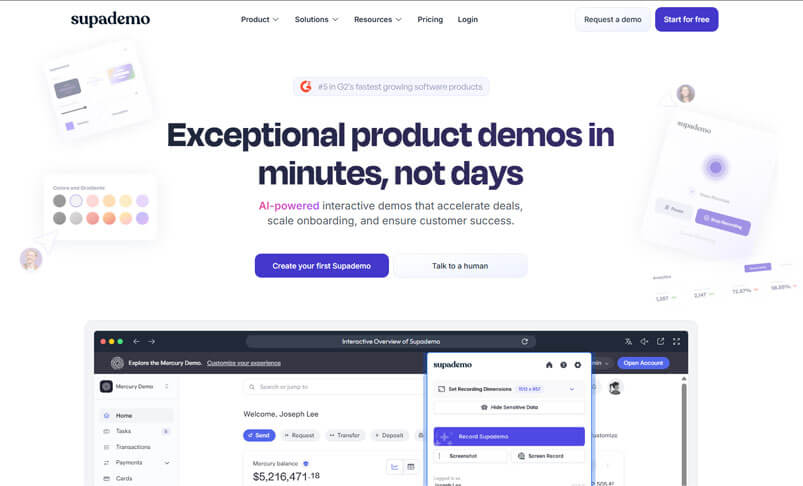
Supademo is an AI-powered interactive demo platform that helps remote teams communicate complex processes, product updates, and training materials through interactive demos and step-by-step guides. Instead of lengthy video calls or endless documentation, teams can create engaging, clickable demos in minutes—no video editing or design skills required. Supademo makes it easy to onboard new employees, share process updates, and ensure everyone stays aligned, regardless of location. With features like AI-powered voiceovers, customizable branding, and analytics tracking, it’s the perfect solution for distributed teams looking to communicate more effectively and reduce repetitive explanations.
Pros
- Creates interactive demos in minutes without video editing.
- Tracks engagement and viewer analytics for better insights.
- Supports AI voiceovers and multi-language translations.
Cons
- Focused on demo creation rather than real-time chat.
- May require initial setup time for custom branding.
Why did we choose this tool
- Streamlines remote onboarding and training with interactive walkthroughs.
- Reduces repetitive explanations by creating shareable, self-service demos.
- Integrates seamlessly with tools like Slack, Notion, and email for easy. Distribution.
Pricing
- Free plan available.
- Pricing starts at $50 per month for Pro features.
5. Asana
Best Internal Communication Platform For Companies For Project Management

Asana is one of the top project management software solutions available. Asana provides a user-friendly platform that enables teams to efficiently plan, track, and manage their projects from start to finish. Its intuitive interface and flexible task organization allow teams to create to-do lists, assign tasks, set deadlines, and track progress effortlessly. Asana’s collaboration features, such as file attachments, comments, and notifications, facilitate seamless communication among team members, promoting transparency and effective teamwork.
With its customizable project views, including list, board, timeline, and calendar, Asana empowers teams to visualize and prioritize their work based on their preferences and needs.
Pros
- Robust project management features.
- Intuitive task organization.
- Seamless team collaboration.
Cons
- Steep learning curve for some users.
- Limited customization options.
- Can be overkill for simple task management.
Why did we choose this tool
- Efficient task and project tracking with customizable workflows.
- Visual project timelines for improved transparency.
- Collaboration tools for assigning and monitoring tasks across teams.
Pricing
- The basic version is free.
- Premium pricing starts from $10.99
6. Google Drive
Best Internal Communication Tool For Organizations For File Sharing
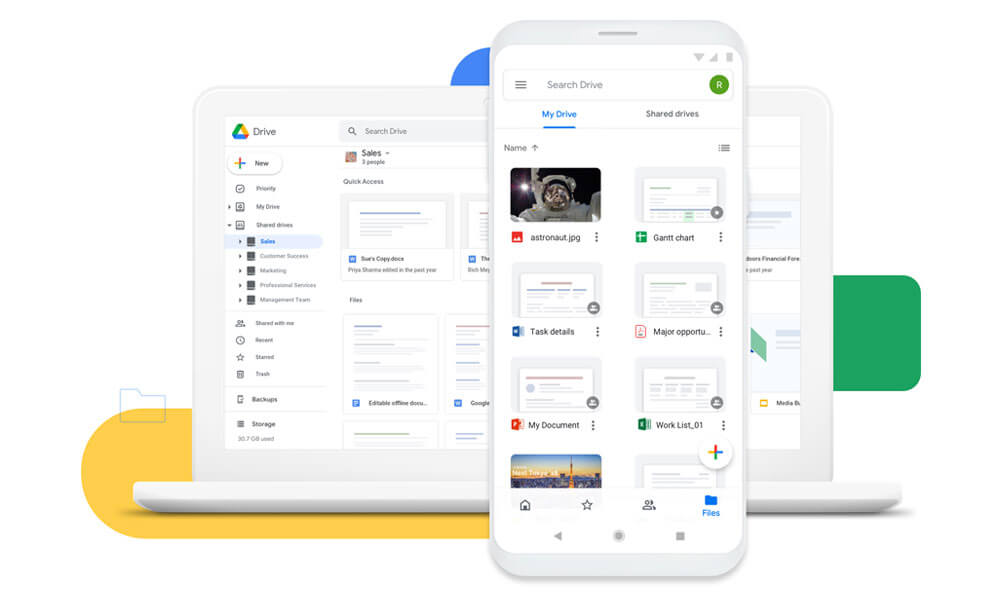
Google Drive is considered one of the best file sharing and document management systems available. Google Drive provides users with a cloud-based platform to store, share, and collaborate on documents, spreadsheets, presentations, and more. With its seamless integration with other Google Workspace applications, such as Docs, Sheets, and Slides, users can easily create, edit, and co-author files in real-time.
Google Drive’s robust sharing settings allow users to control access to documents and collaborate with team members both within and outside their organization. Its version history and file recovery options provide added security and peace of mind.
Pros
- Seamless file sharing and collaboration.
- Cloud-based access from anywhere.
- Integrates with other Google apps.
Cons
- Limited features compared to enterprise tools.
- Can be disorganized without proper file management.
Why did we choose this tool
- Cloud-based file storage with real-time collaboration on shared documents.
- Excellent integration with Google Workspace apps like Docs and Sheets.
- Generous free storage and easy sharing options.
Pricing
- Basic version starts from $8.
- Premium pricing starts from $10.
7. Culture Amp
Best Internal Communication Solution For Organizations For Employee Feedback
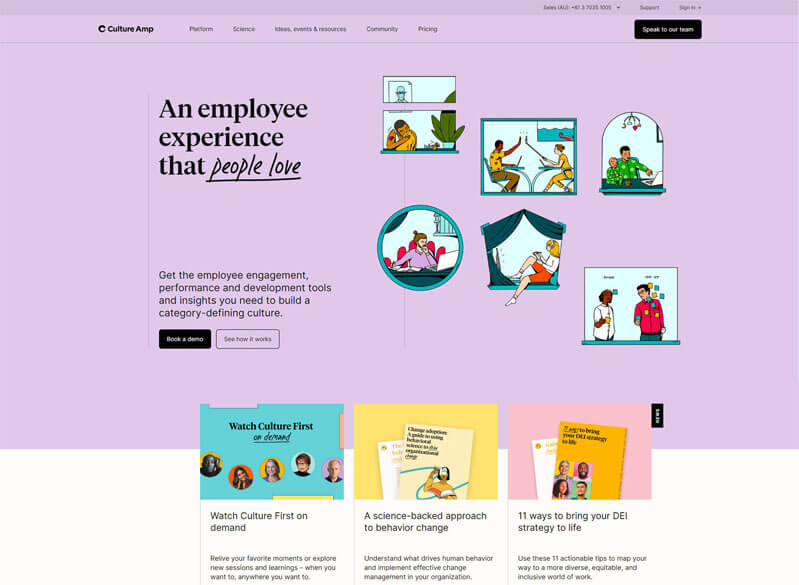
Culture Amp is one of the leading employee feedback and survey tools available. Culture Amp enables organizations to gather valuable insights from their employees through various types of surveys, such as engagement surveys, pulse surveys, and 360-degree feedback assessments. With its user-friendly interface and customizable survey templates, organizations can easily design and deploy surveys to measure employee satisfaction, identify areas of improvement, and gauge organizational culture.
Culture Amp’s robust analytics and reporting features provide in-depth insights and actionable data, helping organizations make informed decisions to enhance employee engagement and drive positive organizational changes.
Pros
- Comprehensive employee feedback and surveys.
- Actionable insights for improving company culture.
- Supports remote and hybrid work environments.
Cons
- Steep learning curve for non-HR users.
- Can be costly for smaller organizations.
- Limited customization options.
Why did we choose this tool
- Comprehensive employee feedback and engagement analytics.
- Actionable insights to improve workplace culture.
- Simplifies performance review processes for managers.
Pricing
- Basic version starts from $5.
- Premium pricing starts from $11.
8. Workplace
Best internal communication platform for companies for internal social networks

Workplace by Facebook is a popular internal social network platform that connects employees within organizations. Designed to mimic the familiar Facebook interface, Workplace enables seamless communication and collaboration through posts, comments, and groups.
Organizations can create dedicated groups for teams, projects, or departments, fostering a sense of community and encouraging knowledge sharing. Workplace also includes features like live video streaming, chat messaging, file sharing, facilitating real-time interactions and enhancing productivity.
Pros
- Familiar social media-like interface.
- Encourages open communication.
- Integrates with other Facebook tools.
Cons
- Privacy and data security concerns.
- Potential for distractions and off-topic discussions.
- Limited features compared to enterprise tools.
Why did we choose this tool
- Social media-style platform for internal communication.
- Enables instant messaging, live video streaming, and collaboration.
- Integrates easily with tools like G Suite and Office 365.
Pricing
- Basic version is free.
- Premium pricing starts from $4.
9. Ryver
Best internal communication tool for organization for team communication
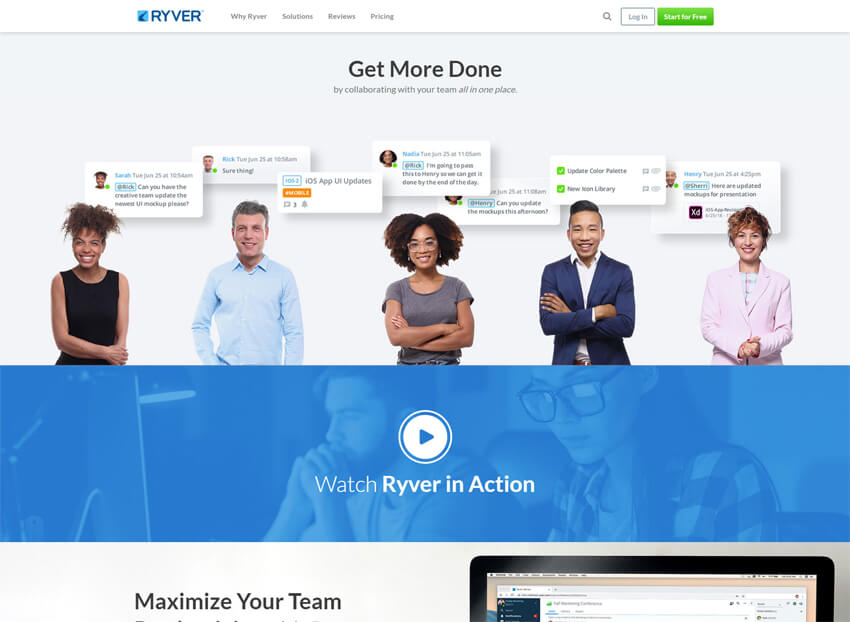
Ryver is a team communication platform that offers a combination of chat, task management, and file sharing capabilities. While it may not be as widely known as some other instant messaging platforms, Ryver provides a simple and straightforward interface for team communication. It allows users to create and participate in open forums called “teams” or have private one-on-one conversations.
Additionally, Ryver allows teams to create and manage tasks, making it a useful tool for small to mid-sized teams looking for a basic messaging and collaboration solution without the need for extensive features and integrations. The tool has features like messaging, file sharing, and group chat to facilitate seamless collaboration and information exchange.
Pros
- Combines chat, tasks, and project management.
- Affordable pricing options.
- Easy to set up and use.
Cons
- Limited customization and branding capabilities.
- Can feel cluttered with too many features.
- Lacks some advanced collaboration features.
Why did we choose this tool
- Combines team communication with task management in one app.
- Affordable alternative to Slack for small businesses.
- Supports threaded conversations and unlimited chat history.
Pricing
- Basic version starts from $69.
- Premium pricing starts from $129.
10. Chanty
Best internal communication platform for companies for collaboration software

Chanty is a collaboration software that may not be as widely known as some of its competitors, but it offers valuable features for team communication and collaboration. Chanty provides a simple and intuitive interface for team chats, direct messaging, and file sharing, making it easy for teams to stay connected and share information.
The platform also includes task management capabilities, allowing teams to create and assign tasks to team members, enhancing project organization and productivity. Chanty offers an intuitive and easy-to-navigate interface to encourage user adoption and minimize the learning curve.
Pros
- Simple and straightforward interface.
- Robust team messaging and task management.
- Affordable pricing for small teams.
Cons
- Limited integrations with other tools.
- Lacks some advanced communication features.
- May not scale well for larger organizations.
Why did we choose this tool
- Lightweight team chat tool with integrated task management.
- Unlimited messaging and easy file sharing for small teams.
- AI-powered search for finding messages and files quickly.
Pricing
- Basic version is free.
- Premium pricing starts from $3.
11. Miro
Best internal communication tool for organizations for virtual whiteboard
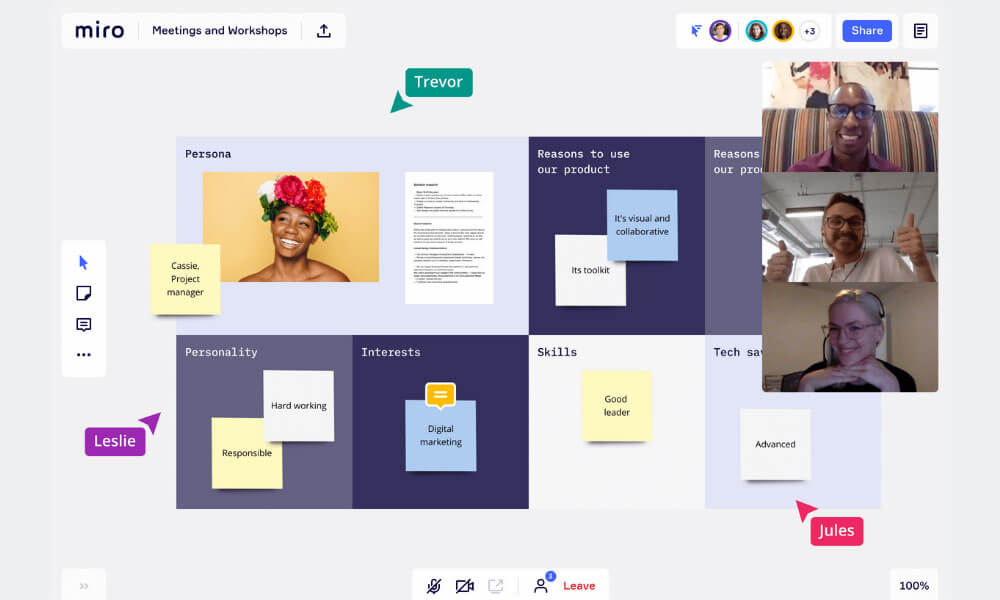
Miro is widely considered one of the best virtual whiteboard software available. Miro provides a collaborative online canvas where teams can brainstorm, ideate, and work together in real-time, no matter their physical location. The platform offers a wide range of customizable templates and tools, enabling teams to create various diagrams, mind maps, flowcharts, and more.
With Miro’s drag-and-drop functionality, users can easily add and arrange elements on the virtual whiteboard, promoting seamless collaboration. Miro also integrates with popular productivity and project management tools, allowing teams to centralize their work and enhance workflow efficiency. Additionally, Miro’s real-time editing and commenting features make it easy for team members to provide input and feedback on ideas and projects.
Pros
- Excellent for visual collaboration and brainstorming.
- Highly customizable and flexible.
- Supports remote and hybrid work.
Cons
- Steep learning curve for some users.
- Can be resource-intensive for older devices.
- Pricing may be high for smaller teams.
Why did we choose this tool
- Intuitive online whiteboard for brainstorming and visual collaboration.
- Wide range of templates for agile workflows and project planning.
- Enables real-time collaboration with team members across the globe.
Pricing
- Basic version is free.
- Premium pricing starts from $8.
12. Microsoft Viva Engage
Best internal communication platform for companies for employee experience
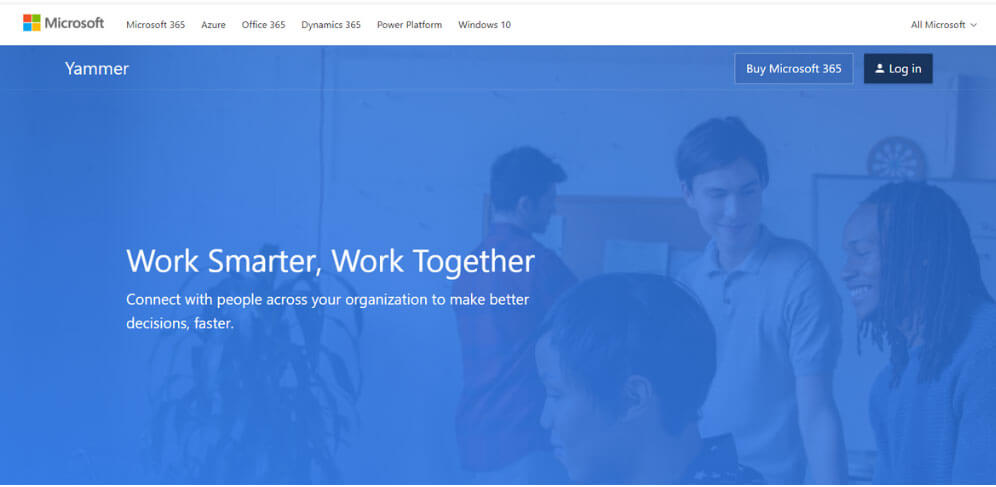
Microsoft Viva Engage is an employee experience platform designed to foster connection and engagement within organizations. It integrates with Microsoft Teams to provide personalized insights, surveys, and resources aimed at enhancing employee well-being and productivity. The platform aims to create a more inclusive and connected workplace by offering tools for employee recognition, learning, and collaboration.
Pros
- Personalized employee experiences tailored to individual needs.
- Integration with Microsoft Teams for seamless communication.
- Offers insights and analytics to measure employee engagement and sentiment.
Cons
- Requires Microsoft 365 subscription for full functionality.
- Might have a learning curve for new users unfamiliar with Microsoft ecosystem.
- Limited customization options compared to some standalone platforms.
Why did we choose this tool
- Centralized hub for employee engagement and well-being insights.
- Integrates seamlessly with Microsoft Teams for communication and collaboration.
- Offers actionable analytics for improving team productivity.
Pricing
- Basic version starts from $2.
- Premium pricing starts from $6.
13. Mailchimp
Best internal communication tool for organizations for internal newsletters
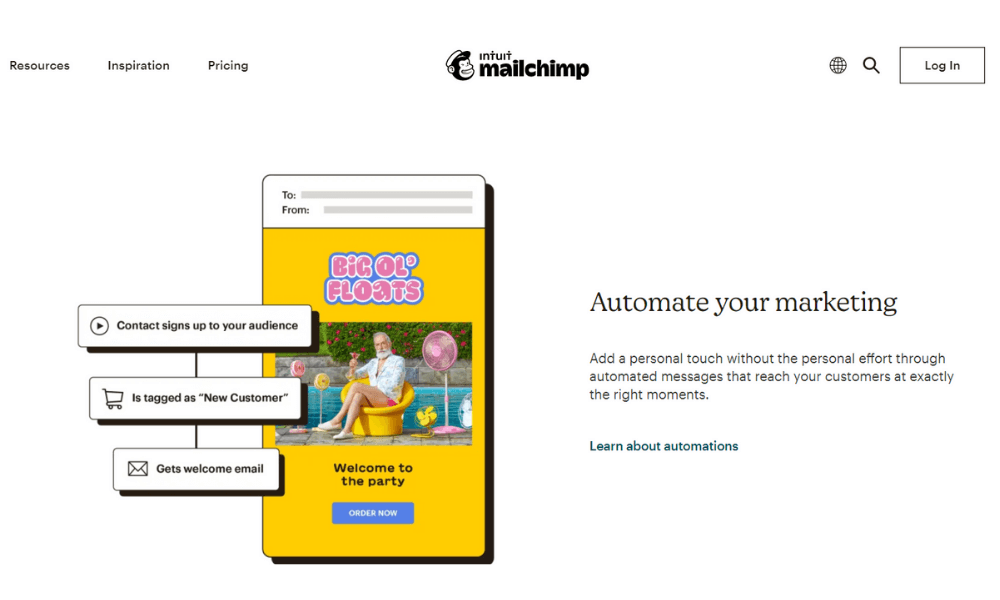
Mailchimp is considered one of the best internal newsletters software available. While Mailchimp is primarily known for its email marketing capabilities, it can also be effectively used to create and distribute internal newsletters within organizations.
With Mailchimp, users can design visually appealing newsletters using customizable templates and drag-and-drop features. The platform allows for targeted and segmented email lists, enabling organizations to personalize content for different teams or departments. Mailchimp’s analytics and reporting features provide valuable insights into the performance of newsletters, including open rates and click-through rates, helping organizations refine their communication strategies.
Pros
- Intuitive email marketing platform.
- Robust audience segmentation and automation.
- Affordable options for small businesses.
Cons
- Limited internal communication features.
- May not meet the needs of larger organizations.
- Can be overkill for simple email broadcasts.
Why did we choose this tool
- Simplifies email marketing with customizable templates and automation.
- Powerful analytics to track campaign performance.
- Scales well for small businesses and growing enterprises.
Pricing
- Basic version is free.
- Premium pricing starts from $9.29.
14. Discourse
Best internal communication platform for company forums
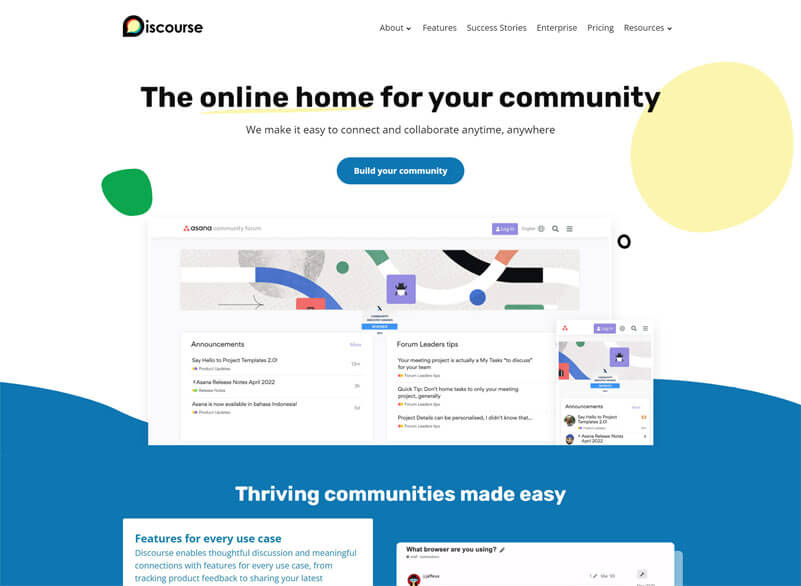
Discourse is considered one of the best company forums software available. Discourse is an open-source platform designed for creating online discussion forums and community spaces. It offers a user-friendly and modern interface that encourages engagement and collaboration among team members. With Discourse, companies can set up private and secure forums where employees can discuss ideas, share knowledge, and seek help on various topics.
The platform supports rich media embedding, code formatting, and real-time updates, enhancing the overall user experience. Discourse also includes powerful moderation tools, ensuring a safe and respectful environment for discussions. Additionally, the platform allows for easy integration with other tools and services, making it a versatile choice for organizations looking to centralize their internal communications and foster a sense of community among their employees.
Pros
- Robust forum-style discussions.
- Highly customizable and extensible.
- Open-source and community-driven.
Cons
- Steep learning curve for some users.
- Limited built-in task management features.
- Potential for information overload in large organizations.
Why did we choose this tool
- Community platform for creating organized, engaging discussions.
- Open-source and highly customizable to fit specific needs.
- Helps build long-term relationships through meaningful interactions.
Pricing
- Basic version starts from $50.
- Premium pricing starts from $100.
15. Confluence
Best internal communication tool for companies for knowledge management
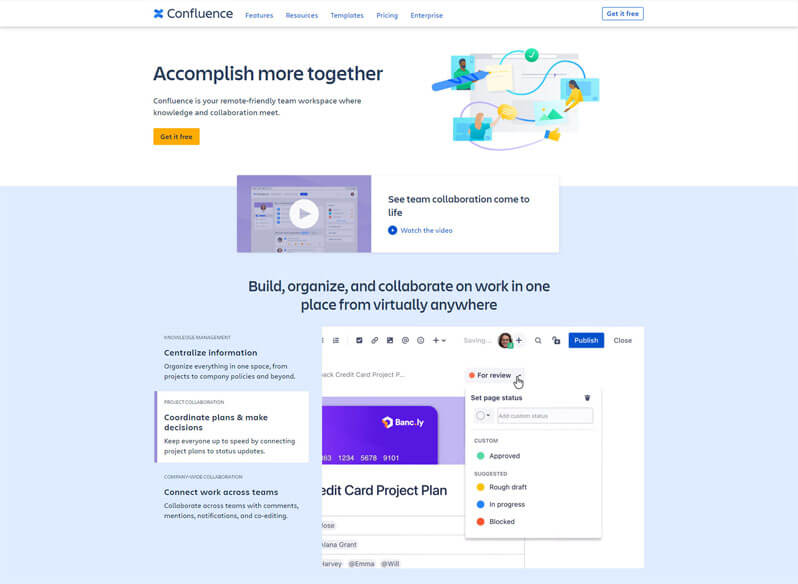
Confluence is considered one of the best knowledge management software available. Developed by Atlassian, Confluence is a robust and versatile platform designed to centralize and organize an organization’s knowledge base. It allows teams to create, collaborate, and share knowledge in the form of documents, wiki pages, and other content types.
With Confluence, users can easily search for information, access documentation, and contribute to discussions, fostering a culture of knowledge sharing and continuous learning within the organization. The platform also offers integrations with other popular tools like Jira and Trello, enhancing workflow efficiency and project management.
Pros
- Powerful documentation and knowledge management.
- Seamless collaboration and file sharing.
- Integrates well with other Atlassian products.
Cons
- Can be complex to set up and administer.
- Limited communication features outside of documentation.
- Pricing may be high for smaller teams.
Why did we choose this tool
- A robust wiki-style tool for knowledge sharing and documentation.
- Ideal for centralizing team resources and creating a single source of truth.
- Deep integration with Jira for agile project management.
Pricing
- Basic version is free.
- Premium pricing starts from $5.75.
16. Jostle
Best internal communication tools organization for optimized workplace communication

Jostle stands as a pinnacle in the realm of internal communication, finely tailored to foster optimal communication within the workplace. With an intuitive and user-friendly interface, Jostle integrates seamlessly into the organizational landscape, ensuring a smooth flow of communication.
It provides a central hub for collaboration, enabling employees to connect, share ideas, and work together in a streamlined manner. From targeted announcements to open discussions, Jostle empowers teams to communicate effectively, enhancing productivity and alignment across all levels of the organization. Its robust features, including team directories, news streams, and customizable content, make it a go-to choice for organizations seeking an efficient and tailored internal communication solution.
Jostle’s emphasis on simplicity and accessibility makes it a vital tool in optimizing workplace communication and driving organizational success.
Pros
- Focused on improving company culture and engagement.
- Offers employee directories and recognition features.
- Integrates with popular apps and tools.
Cons
- Limited customization options.
- Pricing can be high for smaller organizations.
- May not have all the communication features needed.
Why did we choose this tool
- Intuitive internal communication platform for company announcements and updates.
- Provides tools for employee recognition and engagement.
- Simple, user-friendly design for quick adoption.
Pricing
- Free trial version.
- Premium pricing starts from $2.50.
17. Beekeeper
Best internal communication tool for organizations for effective team engagement

Beekeeper stands out as an exceptional tool designed to elevate team engagement within organizations. With its intuitive interface and mobile-first approach, Beekeeper facilitates seamless communication and collaboration across teams, even for dispersed workforces. It acts as a hub where teams can share updates, insights, and accomplishments, fostering a sense of belonging and involvement. Beekeeper’s robust features like group chats, shared documents, and personalized notifications ensure that every team member stays informed and engaged.
By promoting open dialogue and instant information sharing, Beekeeper creates a vibrant and engaged work environment, boosting team morale and productivity. It’s a top choice for organizations seeking a powerful internal communication tool that amplifies team engagement and enriches the overall work experience.
Pros
- Designed for frontline and deskless workers.
- Mobile-first approach for on-the-go access.
- Supports multiple languages and localization.
Cons
- Limited integrations with other business tools.
- Potential learning curve for non-tech-savvy users.
- Pricing may be a concern for smaller companies.
Why did we choose this tool
- Streamlines communication for frontline workers through mobile-first design.
- Secure messaging and announcement tools tailored to non-desk employees.
- Integrates with HR systems for workforce management.
Pricing
- Free trial version.
- Premium pricing – $2,160.00 per year.
18. Glip by RingCentral
Best internal communication platform for companies for team productivity
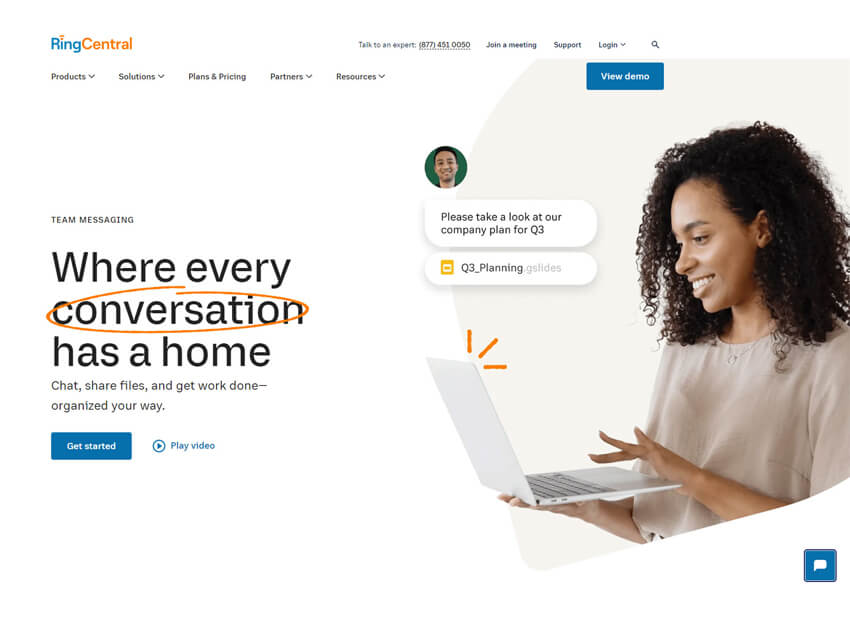
Glip by RingCentral is a powerhouse when it comes to enhancing team productivity through effective communication. By seamlessly integrating messaging, video, and file sharing into a single platform, Glip streamlines collaboration and keeps teams connected. Real-time messaging, task management, and file sharing ensure that projects progress smoothly and everyone is on the same page.
With its intuitive interface and integrations with popular productivity apps, Glip empowers teams to manage their workflows efficiently. The ability to switch from chat to video meetings instantly enhances productivity by reducing unnecessary delays. For teams seeking a comprehensive solution to enhance productivity and foster seamless communication, Glip by RingCentral stands out as a go-to tool.
Pros
- Integrates video, chat, and task management.
- Offers robust team collaboration features.
- Seamless integration with RingCentral ecosystem.
Cons
- Limited customization options.
- Can be overwhelming for small teams.
- Pricing may be high for standalone use.
Why did we choose this tool
- Combines messaging, video calls, and task management in one platform.
- Real-time file sharing and collaboration for hybrid teams.
- Excellent cross-platform compatibility for seamless communication.
Pricing
- Free basic version.
- Pro+ version starts from $14.99.
19. Jive
Best internal communication tool for enhanced team collaboration

Jive is the epitome of enhanced team collaboration within an organization. It offers a dynamic platform that seamlessly integrates messaging, file sharing, and project management. With Jive, teams can work together on projects in real-time, ensuring that everyone is informed and aligned with goals. Its interactive features facilitate smooth communication, allowing team members to collaborate effortlessly.
Document sharing and co-editing capabilities encourage collaborative efforts, while discussion forums and polls foster engagement and idea sharing. Jive creates an environment where communication flows effortlessly and collaborative projects thrive. For organizations seeking to boost team collaboration, Jive is an outstanding tool that nurtures an atmosphere of teamwork and shared accomplishments.
Pros
- Comprehensive enterprise social networking features.
- Supports both internal and external communities.
- Integrates with various business applications.
Cons
- Steep learning curve for some users.
- Potential performance issues in large deployments.
- Pricing can be high for smaller organizations.
Why did we choose this tool
- Comprehensive intranet solution for improving internal collaboration.
- Enables customizable workflows and integrations with third-party apps.
- Analytics-driven insights for better employee engagement.
Pricing
- Pricing starts from $29.95.
20. Wire
Best internal communication tool for secure messaging
Wire is the go-to choose for organizations prioritizing security in their communication. Offering end-to-end encryption, Wire ensures that messages and shared content remain strictly confidential. Its robust security protocols guarantee that sensitive business discussions and data are protected from unauthorized access.
With features like secure file sharing and voice/video calls, Wire provides a comprehensive and safe platform for internal communication. For businesses where privacy and data security are paramount, Wire stands out as an exceptional tool that guarantees a level of communication security that is vital in today’s digital landscape.
Pros
- Strong emphasis on security and privacy.
- Supports end-to-end encrypted communication.
- Offers versatile collaboration and file sharing.
Cons
- Limited feature set compared to enterprise tools.
- Smaller user base and ecosystem.
Why did we choose this tool
- Secure team collaboration tool with end-to-end encryption.
- Ideal for industries prioritizing data privacy, like healthcare and finance.
- Combines messaging, voice, and video in a single app.
Pricing
- Premium pricing starts from $5.83.
21. Staffbase
Best Internal Communication Tool For Company-wide Announcements And Employee Engagement
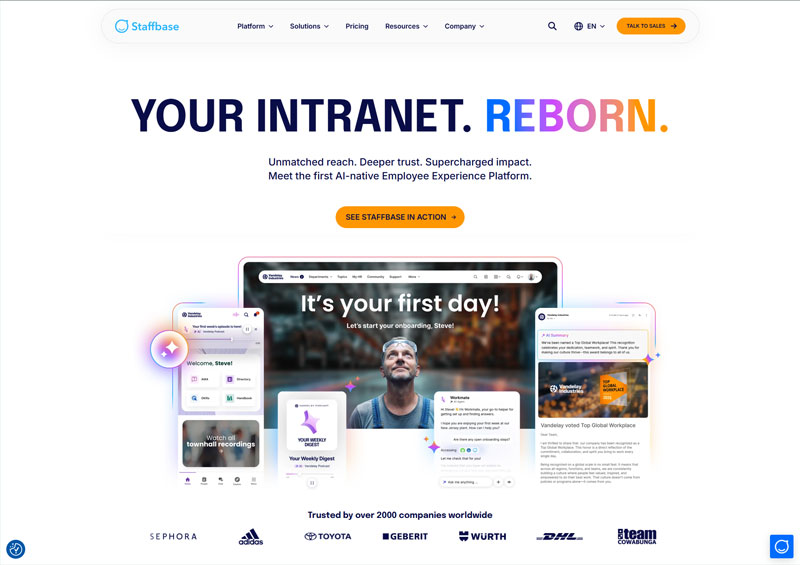
Staffbase is an internal communication platform designed mainly for large and distributed workforces. It helps organizations share company news, updates, and announcements through a centralized intranet, mobile app, and email integration, ensuring employees stay informed and aligned.
Pros
- Strong internal news and announcements.
- Mobile-first employee communication.
- Good analytics and engagement tracking.
Cons
- Less suitable for real-time chat.
- Better suited for mid to large enterprises.
Why did we choose this tool
- Excellent for internal communications at scale.
- Ideal for frontline and deskless workers.
- Strong employee engagement focus.
Pricing Plans
- Free version: Not available.
- Premium pricing: Custom pricing (enterprise-focused).
22. Simpplr
Best Internal Communication Tool For Intelligent Intranet And Employee Experience
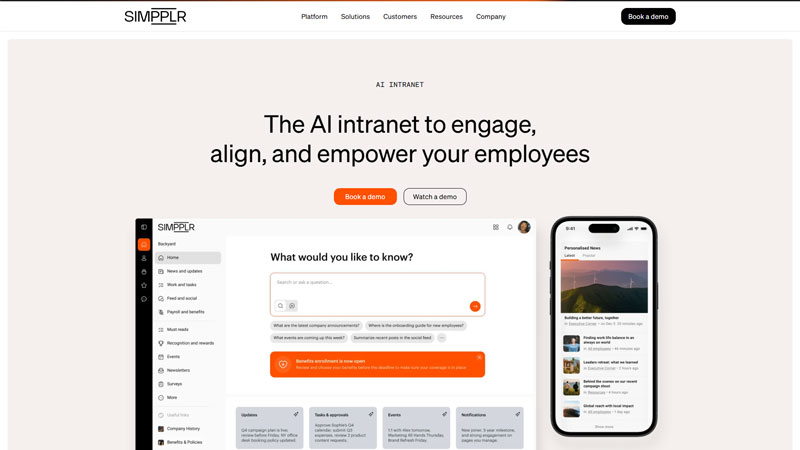
Simpplr is an AI-powered employee communication and intranet platform that centralizes company information, updates, and resources. It focuses on improving internal alignment, culture, and engagement through personalized content and easy navigation.
Pros
- Personalized employee experience.
- Clean and intuitive interface.
- Strong search and content discovery.
Cons
- Limited real-time messaging.
- Pricing may be high for small teams.
Why did we choose this tool
- Strong internal knowledge sharing.
- Improves employee engagement.
- Easy intranet management.
Pricing Plans
- Free version: Not available.
- Premium pricing: Starts at custom enterprise pricing.
23. LumApps
Best internal communication tool for Microsoft 365 and Google Workspace intranet integration
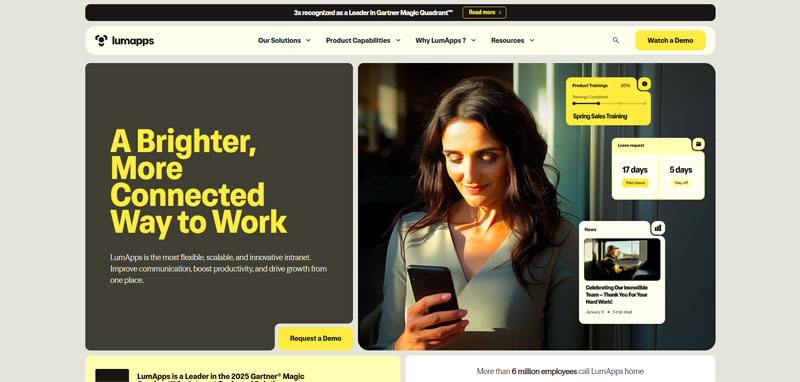
LumApps is a cloud-based intranet and employee experience platform that integrates closely with Google Workspace and Microsoft 365. It enables organizations to share news, collaborate, and manage internal content from a single hub.
Pros
- Deep Microsoft 365 and Google Workspace integration.
- Customizable intranet experience.
- Good content management tools.
Cons
- Not built for instant messaging.
- Setup may require planning.
Why did we choose this tool
- Strong intranet and internal communication focus.
- Works well with existing productivity suites.
- Scales well for growing organizations.
Pricing Plans
- Free version: Not available.
- Premium pricing: Custom pricing based on users.
24. Igloo Software
Best Internal Communication Tool For Structured Collaboration And Knowledge Sharing
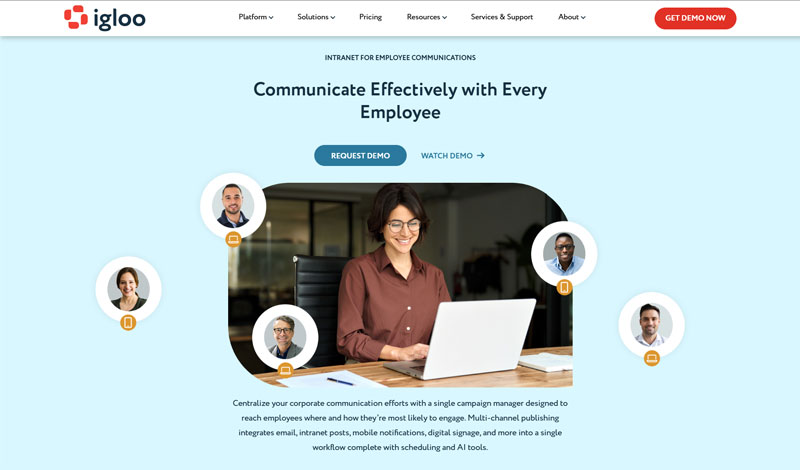
Igloo Software is a digital workplace and intranet solution that helps teams collaborate, share documents, and communicate internally. It is designed to centralize conversations, files, and updates in one accessible platform.
Pros
- Centralized internal communication hub.
- Strong document sharing.
- Customizable intranet structure.
Cons
- UI may feel dated to some users.
- Limited real-time chat features.
Why did we choose this tool
- Good balance of collaboration and content.
- Reliable intranet solution.
- Suitable for structured communication.
Pricing Plans
- Free version: Not available.
- Premium pricing: Custom pricing.
25. Zoho Connect
Best Internal Communication Tool For Affordable Team Collaboration Within The Zoho Ecosystem
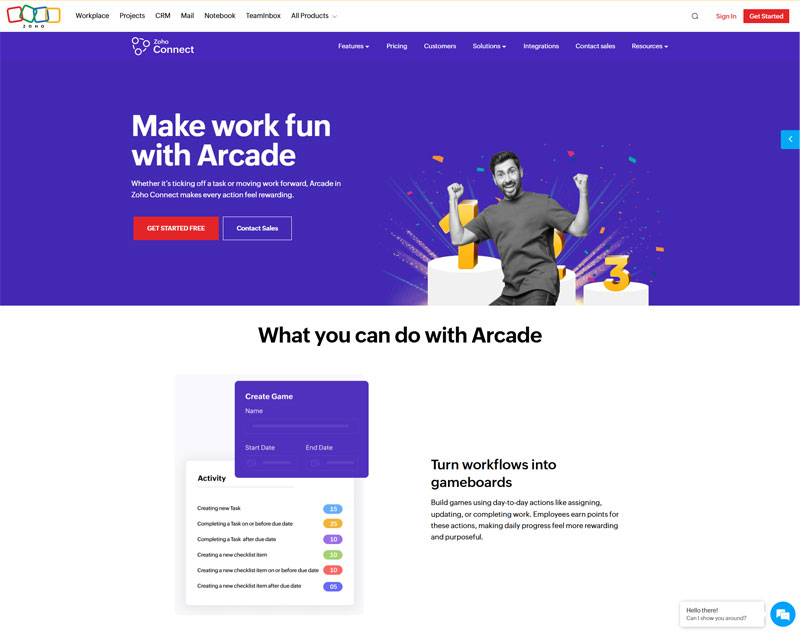
Zoho Connect is an internal communication and collaboration platform that enables teams to share updates, create groups, collaborate on files, and engage employees. It works seamlessly within the Zoho ecosystem, making it ideal for Zoho-centric organizations.
Pros
- Affordable pricing.
- Tight integration with Zoho apps.
- Easy setup and use.
Cons
- Limited advanced chat features.
- Best value only within Zoho ecosystem.
Why did we choose this tool
- Cost-effective internal communication.
- Strong fit for Zoho users.
- Simple and lightweight platform.
Pricing Plans
- Free baisc version.
- Premium pricing: Starts at $1 per user/month.
Factors to consider when choosing an internal communication tool
When choosing an internal communication software for your organization, several factors should be carefully considered to ensure it aligns with your specific needs and fosters effective communication among team members. Some key factors to consider include:
- User-Friendly Interface: Choose a tool with an intuitive and easy-to-navigate interface to encourage user adoption and minimize the learning curve.
- Communication Features: Look for essential communication features like messaging, file sharing, and group chat to facilitate seamless collaboration and information exchange.
- Scalability: Ensure the tool can accommodate your organization’s current size and growth, allowing for easy expansion as your team and communication needs evolve.
- Security and Privacy: Verify that the tool provides robust security measures and data encryption to protect sensitive information and maintain privacy.
- Integration Capabilities: Check if the tool can integrate with other essential software and platforms your organization uses to streamline workflows and enhance productivity.
- Mobile Accessibility: Consider a tool that offers mobile applications to enable communication and collaboration on the go.
- Analytics and Reporting: Opt for a tool that provides analytics and reporting features to measure communication effectiveness and identify areas for improvement.
- Customization: Look for customization options that allow you to tailor the tool to your organization’s branding and specific requirements.
- Customer Support: Ensure the tool comes with reliable customer support to address any technical issues or queries promptly.
- Pricing and Cost: Evaluate the tool’s pricing model and whether it fits within your organization’s budget.
By thoroughly assessing these factors, you can make an informed decision and choose the most suitable internal communication tool that empowers your team’s collaboration and productivity.
Why Use an Internal Communications Tool?
Using an internal communications tool is essential for organizations as it streamlines and enhances communication within the company. These tools facilitate real-time messaging, file sharing, and collaboration among employees, enabling quick and efficient information exchange. With centralized communication, employees stay informed about company updates, announcements, and important documents.
It fosters better teamwork, boosts productivity, and improves overall employee engagement. Internal communications tools also bridge the gap between remote and distributed teams, ensuring seamless interaction and a cohesive work environment. Ultimately, the use of such tools leads to better decision-making, increased efficiency, and a more connected and productive workforce.
Types of Internal communication tools
There are several types of internal communication tools that organizations use to facilitate effective communication and collaboration among employees.
1. Team Chat Apps
Team chat apps are software platforms that enable real-time communication and collaboration among team members within an organization. These apps provide chat rooms or channels where team members can exchange messages, files, and multimedia content instantly.
Team chat apps enhance communication efficiency, streamline project coordination, and encourage the sharing of ideas and updates in a centralized and organized manner. They often offer features like threaded conversations, file sharing, integrations with other tools, and search functionality, making it easy for teams to stay connected and productive, whether they are working remotely or in the same office.
2. Intranet Software
Intranet software refers to a digital platform designed to create a private network within an organization, allowing employees to communicate, collaborate, and access information in a secure and centralized environment. Unlike the public internet, which is accessible to everyone, intranet software is accessible only to authorized users within the company.
It serves as a hub for internal communication, enabling employees to share documents, news, announcements, and resources. Intranet software often includes features like team collaboration spaces, discussion forums, document repositories, employee directories, and integrated applications. It enhances workforce connectivity and productivity by providing a seamless way to exchange information, streamline processes, and facilitate knowledge sharing across departments and teams.
3. Video Conferencing Tools
Video conferencing tools are digital platforms that enable real-time audio and video communication between individuals or groups located in different geographical locations. These tools facilitate virtual face-to-face meetings, presentations, and discussions, mimicking the in-person experience despite the physical distance. Video conferencing tools often include features like screen sharing, chat functionality, recording options, and integration with calendars and other collaboration tools.
They provide a dynamic platform for teams, clients, or partners to interact, exchange ideas, and collaborate on projects without the need for physical presence. Video conferencing has become increasingly crucial, especially in today’s globalized and remote work landscape, enabling seamless communication and decision-making regardless of participants’ locations.
4. Email Clients
An email client, also known as an email reader or mail user agent (MUA), is a software application that enables users to access, manage, and send email messages from their computer or device. Email clients provide a user-friendly interface for interacting with email services and servers. They allow users to organize their emails, create folders, and manage contacts and calendars.
Email clients offer features like composing and sending emails, receiving and reading emails, archiving messages, flagging important emails, and filtering spam. They often support multiple email accounts and protocols, such as IMAP, POP3, and SMTP, allowing users to centralize their various email addresses in one place. Email clients also offer advanced functionalities like searching through emails, setting up automatic replies, and integrating with other applications and tools.
5. Project Management Software
Project Management Software is a digital tool designed to facilitate the planning, execution, monitoring, and completion of projects. It allows teams and individuals to collaborate, allocate resources, set timelines, track progress, and manage tasks within a centralized platform.
Project Management Software typically offers features like task assignment, Gantt charts, time tracking, file sharing, communication tools, and reporting capabilities. It aims to streamline project workflows, enhance team coordination, and improve overall project visibility, enabling efficient project execution and successful delivery.
6. File Sharing and Document Management Systems
File Sharing and Document Management Systems are essential tools for businesses to efficiently store, organize, and collaborate on digital files and documents. These systems provide a centralized platform where files can be securely stored, accessed, and shared among team members. Features often include version control, access permissions, metadata tagging, and search functionality, allowing for easy retrieval of information. Document workflows can be streamlined through automated approval processes and notifications.
Additionally, these systems enhance collaboration by allowing multiple users to work on the same document simultaneously and track changes. With the ability to integrate with other tools and applications, these systems contribute to improved productivity, data security, and seamless teamwork by providing a structured and organized environment for handling files and documents across the organization.
7. Employee Feedback and Survey Tools
Employee Feedback and Survey Tools are software solutions designed to gather insights and opinions from employees within an organization. These tools facilitate the creation, distribution, and analysis of surveys, questionnaires, and feedback forms to understand employee sentiment, engagement levels, and opinions on various workplace matters. They enable HR departments and managers to collect valuable feedback anonymously, providing a safe space for employees to express their thoughts.
With features such as customizable survey templates, real-time analytics, and sentiment analysis, these tools offer deep insights into employee experiences, enabling organizations to make informed decisions and implement improvements. By fostering open communication, addressing concerns, and gauging employee satisfaction, these tools contribute to a positive work environment, better decision-making, and increased employee engagement, ultimately enhancing overall organizational performance.
8. Internal Social Networks
Internal Social Networks are digital platforms that emulate the structure of popular social media networks but are exclusively designed for use within an organization. These networks provide employees with a space to connect, collaborate, and communicate in a more informal and engaging manner.
They facilitate the sharing of ideas, information, and updates, allowing employees to interact across departments, hierarchies, and geographical locations. Features like user profiles, newsfeeds, groups, and messaging systems enable seamless communication, knowledge-sharing, and relationship-building. Internal social networks foster a sense of community, breaking down silos and encouraging cross-functional collaboration.
9. Instant Messaging Platforms
Instant Messaging Platforms are digital communication tools that enable real-time text-based conversations between individuals or groups. These platforms offer instant messaging services, allowing users to exchange messages, files, and multimedia content in a swift and efficient manner. Unlike traditional email, instant messaging platforms prioritize immediacy and facilitate quick back-and-forth interactions. They often include features like read receipts, typing indicators, and emojis to enhance communication.
These platforms are commonly used in both personal and professional settings for team collaboration, project discussions, and quick updates. Many modern instant messaging platforms also offer additional functionalities such as video and audio calling, screen sharing, and integration with other business tools, transforming them into comprehensive communication hubs for teams and organizations.
10. Collaboration Software
Collaboration software, also known as collaborative software or groupware, refers to digital tools designed to facilitate teamwork and cooperation among individuals or groups within an organization. This software enables users to work together on projects, documents, and tasks, regardless of their physical location. Collaboration software offers features such as file sharing, real-time editing, task management, and communication tools like chat and commenting.
It can enhance productivity by streamlining workflows, reducing the need for constant email communication, and providing a centralized platform for team members to access and collaborate on shared resources. From document co-authoring to project planning, these tools play a crucial role in fostering seamless teamwork and communication in today’s dynamic and interconnected work environments.
11. Virtual Whiteboards
Virtual whiteboards are digital platforms that replicate the functionality of traditional whiteboards in an online setting. These tools enable teams to collaborate, brainstorm, and visually present ideas in a shared virtual space. Users can draw, write, add sticky notes, upload images, and create diagrams in real-time, making it easy to visualize concepts and collaborate on projects remotely. Virtual whiteboards offer features like unlimited canvas space, various drawing tools, templates, and the ability to save and share boards for future reference.
They are particularly valuable for remote teams, allowing members to participate in interactive brainstorming sessions, strategy planning, and visual presentations without being physically present. With the rise of remote work and distributed teams, virtual whiteboards have become essential tools for enhancing communication, fostering creativity, and promoting collaboration across different locations and time zones.
12. Enterprise Social Media Platforms
Enterprise social media platforms are digital spaces designed to facilitate communication, collaboration, and knowledge sharing within organizations. These platforms offer a secure and internalized version of popular social media features, such as news feeds, profiles, groups, and discussions.
They provide employees with a virtual environment to connect, interact, and exchange ideas, enabling cross-departmental communication and fostering a sense of community within the workplace. Enterprise social media platforms often incorporate features like file sharing, instant messaging, and real-time updates to enhance engagement and facilitate seamless communication.
13. Internal Newsletters
Internal newsletters are communication tools used by organizations to disseminate relevant information, updates, and news to their employees. These newsletters are typically distributed on a regular basis, such as weekly or monthly, and serve as a curated source of important announcements, achievements, upcoming events, and other company-related content. Internal newsletters aim to keep employees informed about the latest developments within the organization, including new initiatives, policy changes, success stories, and employee spotlights.
By providing a centralized platform for sharing updates, internal newsletters foster a sense of community, help employees stay connected to the company’s goals and values, and create a channel for highlighting the contributions of individuals and teams. These newsletters can be delivered via email, intranet, or digital platforms, allowing employees to access the information conveniently and stay engaged with the company’s activities.
14. Company Forums
Company forums are digital platforms designed to facilitate open and collaborative discussions among employees within an organization. These forums provide a virtual space for employees to ask questions, share ideas, offer insights, and engage in conversations related to work-related topics, projects, and initiatives. Company forums promote transparency, encourage knowledge-sharing, and foster a sense of community by allowing employees to interact with colleagues from different departments, locations, and hierarchical levels.
These forums can cover a wide range of subjects, from project updates and best practices to industry trends and professional development opportunities. By offering a platform for peer-to-peer communication, company forums empower employees to contribute their expertise, seek advice, and build connections across the organization. They can be an effective tool for enhancing internal communication, promoting innovation, and creating a collaborative and inclusive work environment.
15. Knowledge Management Systems
Knowledge management systems are comprehensive digital platforms designed to capture, organize, store, and share collective knowledge and expertise within an organization. These systems enable employees to access valuable information, documents, best practices, and insights relevant to their work, fostering efficient decision-making and problem-solving.
By creating a centralized repository of knowledge, knowledge management systems facilitate seamless collaboration, reduce redundant efforts, and enhance productivity. They often incorporate features like search functionalities, document version control, content categorization, and user-friendly interfaces to ensure easy access and retrieval of information. These systems play a crucial role in preserving institutional knowledge, onboarding new employees, and promoting continuous learning within the organization.
Benefits for Businesses by Using Internal Communication Tools
- Improved Collaboration: Internal communication tools enhance team collaboration by providing a centralized platform for real-time communication, file sharing, and idea exchange. For instance, tools like Clariti integrate emails, chats, and files, ensuring teams work in context.
- Enhanced Productivity: Employees save time by reducing back-and-forth emails and seamlessly finding relevant information. According to McKinsey, productivity can improve by 20-25% in organizations with connected employees.
- Streamlined Workflow: These tools enable task delegation, meeting scheduling, and progress tracking in one place, minimizing miscommunication and boosting efficiency.
- Better Decision-Making: Contextual communication tools organize related conversations and data, allowing teams to make informed decisions quickly without missing critical details.
- Flexibility for Remote Work: With features like video conferencing, instant messaging, and cloud storage, internal communication tools support hybrid and remote work models effectively.
- Cost Efficiency: Consolidating communication channels into one platform reduces the need for multiple software solutions, lowering costs while enhancing functionality.
- Employee Engagement: Transparent communication fosters a sense of inclusion and keeps employees aligned with organizational goals.
- Scalability: Most internal communication tools can grow with the business, offering advanced features and integrations as the organization expands.
- Information Security: Reliable communication tools come with robust security measures, ensuring sensitive business information is protected.
- Faster Problem-Solving: Teams can address issues quickly by sharing updates and brainstorming solutions in real-time, reducing delays and enhancing customer satisfaction.
Conclusion
Having effective internal communication tools and strategies in place is crucial for achieving business goals and objectives. A well-defined communications plan with the right tools and best practices can help businesses effectively convey important information, foster employee engagement, and improve overall collaboration within the organization.
With the availability of a range of internal communication tools and strategies, businesses can choose what works best for their unique needs. These tools can range from a company intranet, mobile app, to virtual meeting platforms, chat and file sharing tools, and more.
By embracing these tools and adopting best practices, businesses can create an environment that encourages employees to communicate openly and effectively, leading to improved productivity, job satisfaction, and overall business success. The key is to invest in the right tools, implement an effective communication plan, and continuously evaluate and improve the strategies being used to ensure ongoing success.
Frequently Asked Questions
What are the 25 best internal communication tools?
Clariti, Swit, Mio, Stashcat, Slenke, Rapporr, SEDNA, Pumble, MangoApps, Jivesoftware, pimentaCHAT, Infinity, Flowdock, Jandi, Mattermost, Workvivo, eXo Platform, StaffConnect, Connecteam, OnSemble, Talkspirit, Brosix, Simpplr, Flipsnack, Lifesize, etc.
What is Internal Communication?
Internal communication is the various ways in which employees communicate with each other. While this was mostly done by meeting in person, with the rise of remote and hybrid work, technology has come to play a big role in facilitating internal communication. Tools commonly used include chat, email, cloud documents and voice calling.
What are the best business communication tools for internal communication?
Clariti is one of the best business communications tools for internal communication that brings all communications to one place, including emails, chats, calendar events, to-dos, and calls based on context. Clariti also connects all related communications as if it is one conversation. There is no need to shift between many apps.
What is an internal communication tool?
An internal communications tool is any type of technology that is used by a business for communication. Using an internal communication tool, you can email, chat, call, screen share, schedule to-do, store documents etc. Companies can either use multiple internal communication tools or they can use one unified SaaS platform like Clariti.
What are internal communication strategies?
Internal communication strategies refer to the deliberate plans and approaches employed by organizations to effectively communicate with their employees and stakeholders. Internal communication strategies may include regular meetings, town halls, newsletters, intranets, digital platforms, and social media channels.




Start for FREE with Personal CRM
We too hate spam! Your email is secure with us.

Spot secured. You're in.
You’re officially on the list for early access to Clariti.


No more switching tools.

No more lost context.

Just Clarity.
You’ll be among the first to experience it when we launch. We’ll let you know the moment it’s ready.

Keep an eye out for emails from @clariti.app.
(and check your spam folder just in case—whitelisting us helps ensure you don’t miss a thing).

