


Blog, Instant Messaging
Top 20 Instant Messaging Apps for Businesses in 2026 and definitive guide to choose the best one
- By Vinod Kumar VR
- No Comments


- Published on
- 10 min read

Blog Summary
Instant messaging (IM) has become an essential communication tool for modern businesses, offering real-time, efficient, and collaborative interactions. In 2026, the landscape is dominated by a range of IM apps designed specifically for business needs, including tools like Microsoft Teams, Slack, Clariti, Google Chat, and more. These platforms help teams stay connected, especially in remote and hybrid work environments.
- Choosing the right IM app depends on several factors such as team size, integration needs, security standards, and the nature of your workflows.
- Key features to look for include file sharing, group chats, voice/video calling, searchability, and context-aware messaging.
- IM is widely used in internal team communication, client engagement, project coordination, and support functions due to its speed and simplicity.
Compared to traditional email, instant messaging offers quicker response times, better collaboration, and less formality, which makes decision-making faster and more agile. IM tools help reduce email overload by keeping conversations focused and organized.
This guide provides a comprehensive overview of the top 20 business IM apps for 2025, helping you make an informed decision based on your team’s unique communication needs.
View more
Instant messaging apps have become must-have tools for communication in daily life and work. The global instant messaging market is growing fast, with an expected value of $91.6 billion by 2026 (Research and Markets). This shows how important instant messaging apps for business and personal use have become worldwide.
An instant messaging app (or IM app) lets people chat in real time. These messenger apps allow text, voice, video, and file sharing between individuals or groups. Using these tools, businesses can connect teams instantly, no matter where they are. With so many instant messaging platforms available, the choice depends on needs such as speed, security, and ease of use.
In this guide, we explore the top instant messaging apps for business in 2026. From big players to newer options, we’ll look at their features, functions, and best uses for organizations. Picking the right business messaging app can feel tough because there are many choices but knowing what to focus on makes the process easier.
We’ll share clear tips to help you decide which IM app is right for your team. Some companies need strong security, while others want integrations with work tools. Many also look for smooth user experiences. Whatever your priority, the right instant messaging sites and apps can simplify your workflow.
The best instant messaging apps include helpful features like encryption, video calls, and easy integration with calendars and storage tools. Even a free instant messenger can be powerful if it meets your team’s needs. Knowing these features helps you use instant messaging to boost communication and save time.
Instant messaging has become more popular than email in many workplaces. It is faster, more flexible, and allows quick decision-making. Instant messaging news often highlights how these platforms improve teamwork and cut down on delays. This makes instant messaging apps for business one of the most vital tools for real-time collaboration today.
As companies continue their digital journey, instant messaging platforms will keep playing a key role in collaboration and connection. The shift toward using messenger apps shows how businesses want instant, easy-to-use communication channels.
What is instant messaging?
Instant messaging (IM) is real-time text-based chat between people over the internet. With instant messaging, you can send and receive messages right away. Many instant messaging apps also allow video calls, voice chats, file sharing, and presence indicators to see who is online. Popular instant messaging platforms include Clariti, Microsoft Teams, and Slack alternatives.
Most Popular Instant Messaging apps for businesses in 2026
1. Clariti
Instant messaging app for contextual hybrid Conversations
Clariti has become one of the most popular instant messaging platforms for businesses in 2026 due to its unique ability to unify various forms of communication within one organized platform. Unlike traditional messaging apps, which often separate chats from emails and task management, Clariti allows users to bring all relevant communication—whether it’s chat, email, shared documents, or calendar events—into a single, contextual hybrid Conversation.
This feature has proven especially useful for teams managing complex projects, as it allows for a seamless transition between communication forms without losing context. Additionally, Clariti’s intuitive interface and integration capabilities mean that businesses don’t have to juggle multiple apps to stay organized, which has helped many teams improve their productivity and efficiency.
Another reason for Clariti’s popularity is its focus on reducing information overload, a common issue with chat-centric apps. With Clariti’s contextual and topic-based organization, team members can stay focused on relevant conversations without the clutter of unrelated messages. This clarity enhances collaboration and ensures that important information is easily accessible without endless scrolling or searching.
Moreover, Clariti offers flexibility through features like voice calling, task management, and integration with tools like Zapier, enabling it to adapt to the needs of diverse industries. By streamlining communication and collaboration, Clariti has established itself as an essential tool for modern businesses seeking efficiency, simplicity, and organized teamwork.
Pros
- Unified Communication.
- Contextual hybrid Conversations.
- Collaboration Tools.
- Accessible Anywhere.
- Cost-Effective.
Cons
- No mobile app.
- Learning curve for users who are new to hybrid conversations.
Why we would choose this
- Organizes conversations contextually.
- Integrates email, chat, and documents.
- Improves productivity with seamless workflows.
Pricing Plans
Basic version is free.
Premium pricing starts from: $9.
2. Chanty
Communication App for internal business communication

Chanty is a user-friendly team communication tool developed to simplify teamwork from instant messaging to video conferencing and task management. Unlimited messaging is available even in a free plan, which is perfect for remote teams.
Chanty offers one-on-one video calls and group video conferences with screen sharing. Chanty offers a built-in task manager, which turns messages into tasks. If you are tired of switching between tabs at work, connect any app available and turn your team chat into a single notification centre.
Pros
- Unlimited messaging in all plans.
- Built-in Task Manager with the Kanban board.
- Audio/video calling with screen sharing.
Cons
- No video call invitation by a link.
- Limited integrations.
Why did we choose this
- Voice messages, Pinned messages.
- Surveys & Polls.
- Scheduled and disappearing messages.
Pricing
- Free plan for teams with up to 5 users.
- Business plan $4 per user/month paid monthly ($3 paid annually)
3. Brosix
Instant messaging app for Secure Team Communication and Data Control

Brosix is a powerful and easy-to-use instant messaging app designed with team communication in mind. Brosix gives its clients a fully administrable private team network, which provides an exclusive and secure collaboration space. Client’s control who is added or removed from the network and can easily manage users through a range of administrative features.
Brosix comes with a package of unique features and tools aimed at boosting team collaboration and streamlining communication. From a range of chat options to screen-sharing and unlimited file transfers, Brosix is designed with the modern work environment in mind. This makes it an excellent solution for enterprises looking to improve their productivity.
Pros
Focus on security and privacy with end-to-end encryption.
Customizable platform with branded networks for businesses.
Secure file transfer and screen sharing features.
Cons
Limited integrations with third-party apps and services.
Limited free plan.
Why did we choose this
- Focuses on secure team communication.
- Offers screen sharing and video conferencing.
- Provides customizable chat features for teams.
Pricing plans
Basic version is free.
Premium pricing starts from: $4.
4. MirrorFly
Customizable instant messaging solution for web and mobile

MirrorFly is an enterprise instant messaging solution perfect for every size of business. You can add its wide range of chat features to a pre-built sample app and create your own custom messaging app. The core products of the solution include white-label messaging APIs and SDKs, which come with full data sovereignty and the freedom to deploy your app on any server. MirrorFly also allows businesses to customize the security and privacy features as per their requirements.
Pros
- 100% customization.
- Full data sovereignty and source code access.
- Custom security.
Cons
- No agenda creation feature.
- Gamification elements are not available.
- Third-party integrations have room for improvement.
Why did we choose this
- Reliable solution for custom business chat apps.
- Wide range of features and third-party integrations.
- Complete control of data, infrastructure and security.
Pricing
- Available for custom pricing: one-time license cost.
- Basic version starts from: $0.8/user/ month.
- Premium pricing starts from: $0.20/ user/ month.

5. Google Chat
Instant messaging app for G Suite Collaboration at Your Fingertips

Google Chat is one of the most popular instant messaging apps for users to send private, real-time messages with individuals or connect with teams. It’s designed so that plans and ideas can be easily discussed virtually in one place. With Google Chat, users have the flexibility to stay connected any time and from anywhere, as well as the ability to communicate with groups in a safe and secure environment.
Furthermore, conversations are conveniently organized by topic and can be quickly accessed later on. Whether it be quick chats between two people or exploring ideas in large groups, Google Chat features useful tools to make communication easier and more productive.
Pros
- Integration with Google Workspace.
- Seamless collaboration with google apps.
- Accessible across devices.
Cons
- Limited feature set compared to competitors.
- Less customization options.
- Relatively small user base.
Why did we choose this
- Seamlessly integrates with Google Workspace.
- Facilitates team collaboration and messaging.
- Offers robust search capabilities for easy information retrieval.
Pricing plans
- Basic version starts from: $6.
- Premium pricing starts from: $12.
6. Discord
Instant messaging app for Gamer-Ready Communication and Beyond

Discord does more than what an instant messenger app does. Using Discord, you can create a home for your communities and friends, where you can stay close and have fun over video, text and call. Whether your part of a school club, a gaming group, a worldwide art community, or just a handful of friends that want to spend time, Discord makes it easy to talk every day and hang out more often.
Pros
- Dedicated gaming community features.
- Rich multimedia sharing options.
- Customizable server settings.
Cons
- Focus primarily on gaming community.
- May not be suitable for professional settings.
- Learning curve for new users.
Why did we choose this
- Originally for gamers, now supports businesses.
- Offers voice and video chat features.
- Highly customizable server options for teams.
Pricing plans
- Basic version starts from: $2.99.
- Premium pricing starts from: $9.99.
7. Amazon Chime
Instant messaging app for Effective Remote Team Engagement
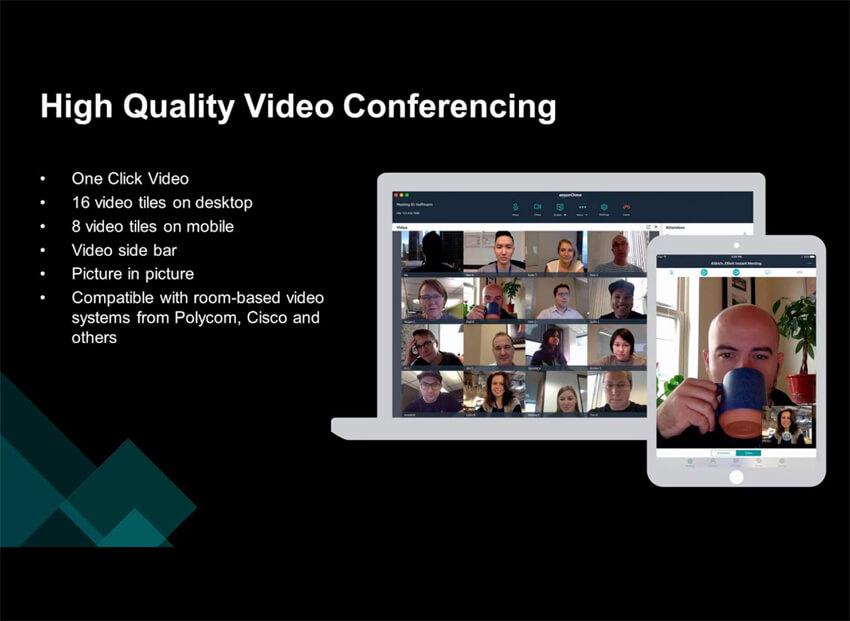
Amazon Chime lets you go beyond just an instant messaging app. It lets you choose the communication options that are best suited for your business. You have the option to choose from meetings, chat, and business calling or use Voice Connector to direct your voice traffic over the internet.
With Amazon Chime, you have the flexibility to choose the communication option that fits with your business needs, and the freedom to scale up or down as needed.
Pros
- High-quality audio and video conferencing.
- Integration with Amazon Web Services.
- Secure Communication Features.
Cons
- Interface can be complex for new users.
- Limited free version features.
- Less popular than competitors.
Why did we choose this
- Secure and scalable collaboration tool.
- Advanced video conferencing capabilities.
- Integration with Amazon Web Services (AWS) ecosystem.
Pricing plans
- Basic version is free.
- Premium pricing starts from: $2.50.
8. Mattermost
Instant messaging app for Open-Source Collaboration and Control

Mattermost is an innovative instant messenger app that supports the transfer of messages, files and other media quickly and securely. It offers a variety of features to businesses, teams, and individuals including group collaboration, easy integrations between apps, multi-language support; advanced search capabilities; end-to-end encryption; compliance with industry standards such as ISO 27018; mobile device access; rich message formatting; customizable service plans; and much more!
Pros
- Self-hosted option for data control.
- Open-source customization.
- Robust security features.
Cons
- Requires technical knowledge for setup.
- Limited Integrations in the free version.
- User Interface can be complex.
Why did we choose this
- Open-source platform for secure messaging.
- Highly customizable to fit team needs.
- Supports integration with DevOps tools.
Pricing plans
- Basic version is free.
- Premium pricing starts from: $10.
9. Workplace
Instant messaging app for Connecting and Thriving in Your Workspace

Workplace developed by Meta Platforms is more than just an instant messenger app. It facilitates online groupwork, instant messaging, video conferencing software listed on Spotsaas, and news sharing. Workplace is designed to simplify communication, collaboration, and team organization. Key features include setting up team pages, creating task lists and holding discussions across devices.
Pros
- Familiar Interface for Facebook users.
- Integration with Facebook services.
- Collaboration and communication features.
Cons
- Dependency on Facebook Ecosystem.
- Limited Customization Options.
- Privacy concerns for some users.
Why did we choose this
- Facebook’s platform for businesses.
- Promotes informal communication among employees.
- Integrates with familiar Facebook features.
Pricing plans
- Basic version is free.
- Premium pricing starts from: $4.
10. Chatwork
Instant messaging app for Simplified Team Collaboration
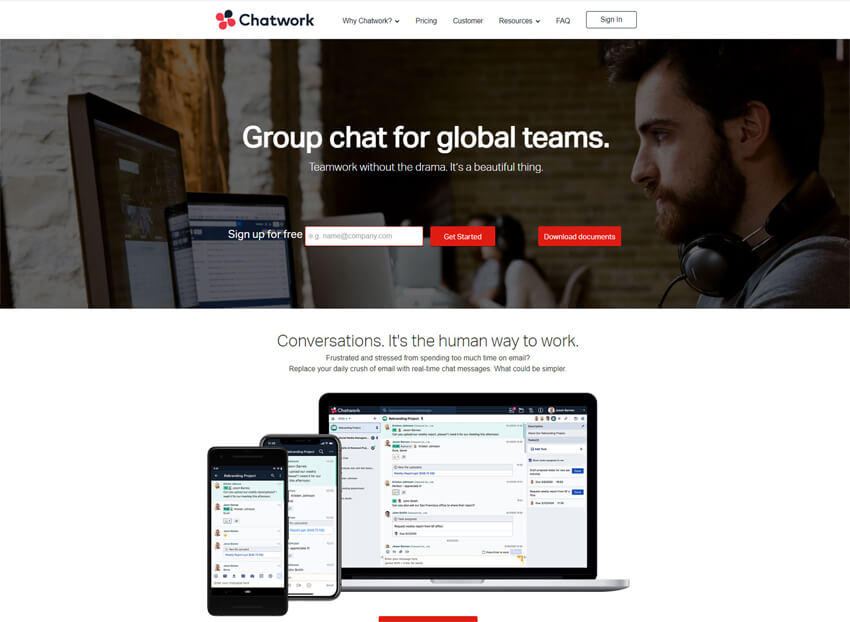
Chatwork is an all-round instant messaging app for business that is designed to help global teams communicate through (text and call), collaborate and increase productivity. The platform includes secure messaging, video chat, task management and file sharing functionality.
Pros
- Simple and user-friendly interface.
- Task Management and collaboration tools.
- Affordable pricing options.
Cons
- Limited integration with third-party apps.
- Less popular outside of Asia.
- Language support may be limited.
Why did we choose this
- Easy-to-use interface for team communication.
- Built-in task management for productivity.
- Suitable for small and medium businesses.
Pricing plans
- Basic version is free.
- Premium pricing starts from: $5.
11. Troop Messenger
Instant messaging app for Quick and Secure Team discussions

Troop Messenger is one of the most comprehensive office IM apps for business with amazing security, facilitating safe and secured business data sharing. It offers a collaborative work forum for businesses.
This business chat application is one among all group chat apps which comes with unlimited group creation. It is not only instant messaging for business but also lets you share files of diverse format along with current location and contacts.
Pros
- Secure end-to-end encryption.
- Unlimited file sharing and storage.
- Customizable features for business needs.
Cons
- Relatively new in the market.
- Some features limited to paid plans.
- User interface could be improved.
Why did we choose this
- Provides secure and encrypted messaging.
- Features audio and video calling options.
- Supports file sharing and collaboration tools.
Pricing plans
- Basic version is free.
- Premium pricing starts from: $10.99.
12. TeamViewer Meeting
Instant messaging app for Effortless Team Meetings and Sharing
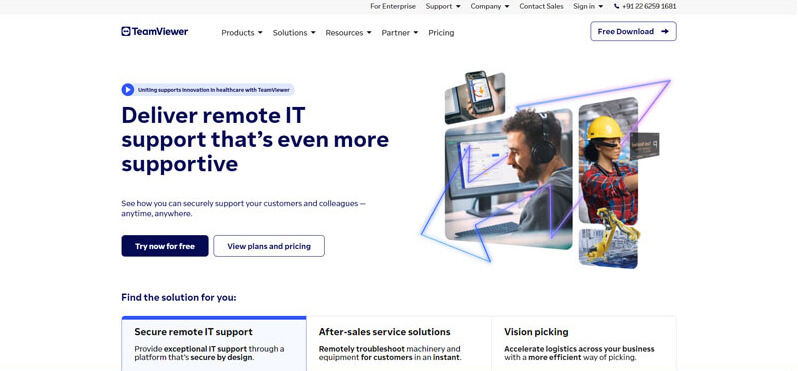
TeamViewer goes beyond IM app. TeamViewer Meeting lets you hold face-to-face HD VoIP videoconferences and audio calling, with your coworkers or your entire team, scheduled group meetings (up to 300 people), desktop screen sharing and session recording. It has all the essential meeting tools to collaborate securely with your teams and clients, from anywhere, anytime. TeamViewer Meeting installs on your desktop or mobile phone for quick access.
Pros
- Simple interface for quick meetings.
- Cross-platform compatibility.
- Secure end-to-end encryption.
Cons
- Limited features compared to competitors.
- Higher pricing tiers for advanced features.
- Occasional connectivity issues.
Why did we choose this
- Secure and reliable video conferencing solution.
- Great for remote support and team meetings.
- Cross-platform availability for ease of use.
Pricing plans
Basic version starts from: $24.90.
Premium pricing starts from: $50.90.
13. Microsoft Teams
Instant messaging app for Unified Teamwork and Enhanced Efficiency
Microsoft Teams is not just an instant messaging app. Whether you’re working with teammates on a project or planning a weekend activity with loved ones, Microsoft Teams helps bring people together so that they can get things done. It’s the only app that has chats, video calls, meetings, files, tasks, and calendar in one place.
Easily connect with people through group chat and bring plans to life. Work with teammates via secure meetings, video calls, document collaboration, and built-in cloud storage. You can do it all in Microsoft Teams.
Pros
Seamless integration with Office 365 Suite.
Robust collaboration features like channels and tabs.
Extensive security and compliance capabilities.
Cons
Steeper learning curve for new users.
Occasional performance issues during peak usage.
Limited customization options for interface.
Why did we choose this
- Deep integration with Microsoft 365 suite.
- Supports video, chat, and document collaboration.
- Ideal for businesses already using Microsoft products.
Pricing plans
Basic version starts from: $4.
Premium pricing starts from: $6.
14. Zoho Cliq
Instant messaging app for Streamlined Team Communication and More

Zoho Cliq’s IM app for business allows you to view multiple chats at a time and even search messages to find what you’re looking for. Voice and video calls are just a tap away. Command shortcuts and custom-built bots help automate tasks.
Pros
- Affordable pricing with free version available.
- Easy-to-use interface for quick adoption.
- Secure messaging and collaboration features.
Cons
- Lack of advanced features compared to competitors.
- Limited integrations with external apps.
- Customer support can be slow to respond.
Why did we choose this
- Real-time messaging with file sharing capabilities.
- Integrates seamlessly with other Zoho products.
- Offers multi-channel communication options.
Pricing plans
- Basic version is free.
- Premium pricing starts from: $1.
15. Facebook Messenger for Business
Instant messaging app for Business Connectivity on Facebook
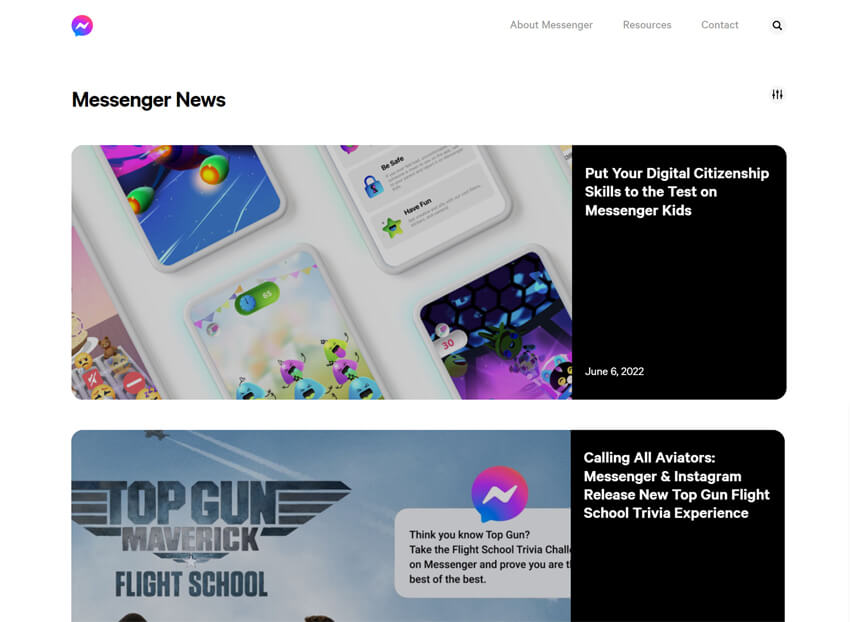
Facebook Messenger for Business is a communication platform designed for businesses to interact with customers through Facebook Pages, offering features like instant messaging, chatbots, and automated responses. It allows companies to provide customer support, send notifications, and conduct marketing campaigns directly through the IM app.
Pros
- Widely used platform with large user base.
- Integration with Facebook pages for customer interaction.
- Quick and easy setup for business accounts.
Cons
- Limited customization options for business messaging.
- Lack of advanced features for team collaboration.
- Privacy concerns and data usage policies.
Why did we choose this
- Easy integration with Facebook’s business pages.
- Great for customer communication and support.
- Familiar interface for most users.
Pricing plans
- Basic version is free.
16. Rocket.Chat
Open-Source Team Collaboration and Messaging.

Rocket.Chat is an open-source team messaging platform built for flexibility and control. It supports web, desktop, and mobile clients and offers text, voice, video, screen sharing, and file transfer. Organizations can self-host Rocket.Chat for full data control or use its cloud hosted plans. The product is designed for teams that need heavy customization, API access, and integration options. Admins get granular user and role controls and options for single sign-on.
Rocket.Chat also supports federated and omnichannel features for connecting external messaging channels. The platform suits companies that need on-premises deployment, strict compliance, or deep branding. It scales from small teams to large enterprises with paid support tiers. Community editions remain available for teams who want open-source freedom. Overall, Rocket.Chat targets teams who want control plus a full chat stack.
Pros
- Self-hosting & data control.
- Rich integrations & APIs.
- Flexible deployment (cloud or on-prem).
Cons
- Setup can be technical for self-hosting.
- Advanced features may require paid plan.
Why did we choose this tool
- Strong self-host and compliance options.
- Highly customisable for niche workflows.
- Good fit when data residency matters.
Pricing
- Basic: Starter / Community — free (self-hosted / limited cloud).
- Premium: Pro / Enterprise — paid tiers / custom quotes (public listings show Pro around ~$8/user/month in some sources; contact sales for enterprise).
17. Zulip
Topic-Focused Team Communication.

Zulip is an open-source team chat built around topic-threaded conversations. Its stream/topic model lets teams keep long discussions organized while still supporting real-time chat. Zulip runs in the cloud or can be self-hosted, giving teams control over data and deployment. The platform supports file sharing, integrations with common developer and business tools, and strong search across topics.
Zulip’s threading model is useful for engineering, product, and distributed teams who need context preserved. Admin tools include SSO, access controls, and data export options for compliance. Zulip offers free tiers for small teams and paid cloud plans with added security and admin features. The product is praised for scaling to large communities while keeping conversations searchable and discoverable. It is a strong choice when threaded context is a priority.
Pros
- Topic-threaded chat prevents context loss.
- Self-host option for control.
- Good search and integration set.
Cons
- Different UI model — learning curve for some users.
- Some enterprise features gated behind paid plans.
Why did we choose this tool
- Best for threaded, topic-heavy discussions.
- Strong open-source and self-host story.
- Good for engineering and knowledge work.
Pricing
- Basic: Free / Community plan (cloud & self-host options).
- Premium: Standard / Plus cloud plans (paid; example public pricing tiers listed around $6.67–$10+/user/month depending on level and billing).
18. Keybase
Secure Messaging and File Sharing.
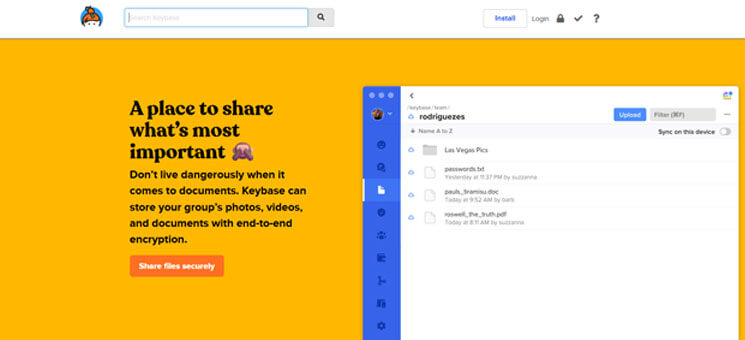
Keybase is a security-first messaging and file-sharing app built on public-key cryptography. It focuses on end-to-end encryption for chats, file storage, and team spaces. Keybase integrates with the local filesystem so teams can share encrypted folders and files directly. The app supports group chats, 1:1 messaging, and secure file links; even the service operator cannot read private messages. Its workflow appeals to security-minded teams that need simple, provable encryption.
Keybase is lightweight and easy to use compared with traditional PGP workflows. It is well suited for small security teams, open-source projects, and journalists who need strong privacy. The UI is straightforward for people who want strong encryption without complex setup. Keybase historically has been offered free as a core product.
Pros
- Strong end-to-end encryption by design.
- File system integration for secure sharing.
- Simple UX for cryptographic security.
Cons
- Not built primarily as a full team collaboration suite.
- Fewer enterprise integrations than mainstream chat apps.
Why did we choose this tool
- Best choice when privacy and encryption are top priorities.
- Simple secure file sharing for sensitive teams.
- Low barrier to adopting strong crypto.
Pricing (short)
- Basic: Core Keybase features — free (core product historically free).
- Premium: No widely published premium tier — enterprise/paid options are not standard; contact provider for bespoke arrangements.
19. Element (Matrix / Element.io)
Decentralized Collaboration Platform.
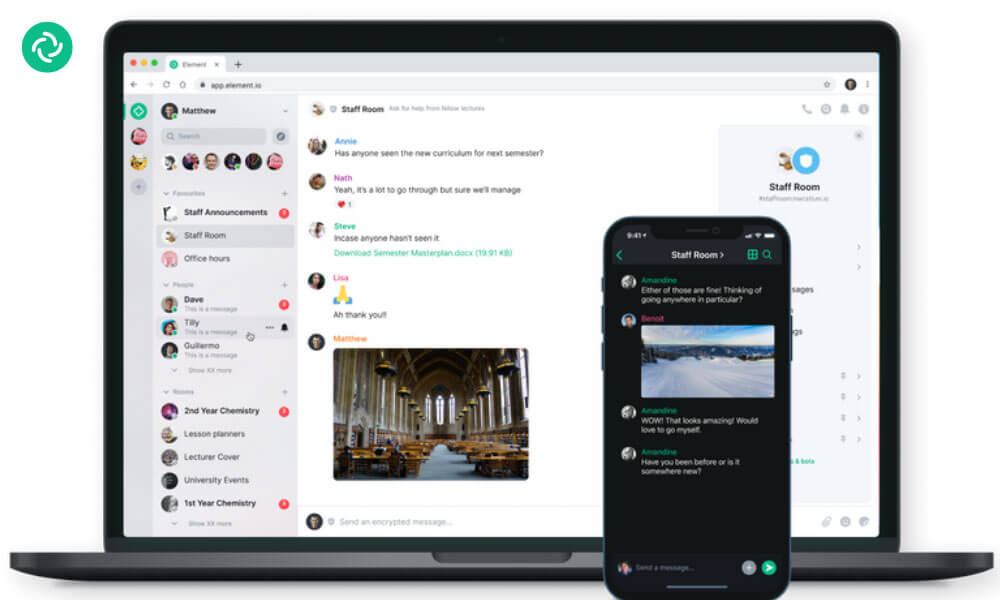
Element is a Matrix-based secure messenger and collaboration client that emphasizes decentralization and interoperability. Built on the open Matrix protocol, Element supports end-to-end encryption, bridges to other networks, and self-hosting of servers. Users get chat rooms, direct messages, file sharing, voice/video calls, and federated communication across Matrix homeservers.
Element appeals to organizations that want sovereign communication — run your own server or use hosted services. The client supports web, desktop, and mobile, and it integrates with productivity tools via bridges and bots. Element is actively developed and backed by the Matrix founders, making it a robust option for secure, open communication. The project offers a free community edition and paid hosted/enterprise plans for businesses. It is a strong option where interoperability and protocol openness matter.
Pros
- Decentralised + self-host options.
- End-to-end encryption (E2EE).
- Matrix bridges to other networks.
Cons
- Some gaps in UX polish vs. mainstream chats.
- Enterprise features may require paid hosting.
Why did we choose this tool
- Open protocol (Matrix) gives long-term freedom.
- Strong security and federation options.
- Good for organizations needing vendor-neutral comms.
Pricing
- Basic: Community / self-hosted edition — free (open source).
- Premium: Element Business / Enterprise — paid hosted or enterprise plans (publicly listed business tiers from roughly $5+/user/month for managed services; contact sales for enterprise).
20. Wire
Secure Enterprise Messaging and Collaboration.
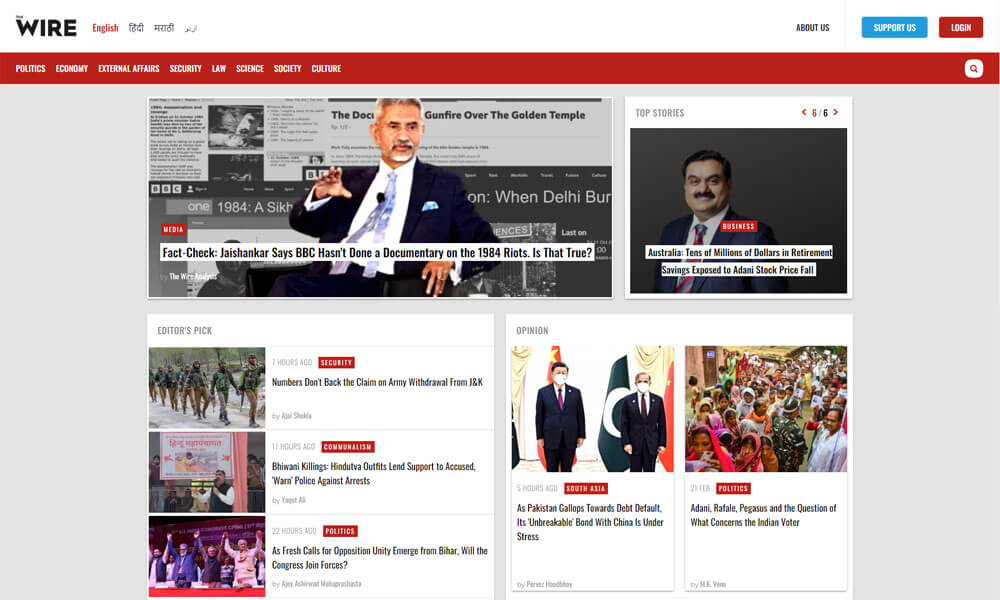
Wire is a secure, enterprise-grade collaboration platform offering end-to-end encrypted messaging, voice and video calls, and file sharing. It supports both cloud and on-premises deployments and meets compliance standards such as ISO 27001 and GDPR. Wire’s client apps run on web, desktop, and mobile and include group chats, conferencing, and collaboration features designed for business use.
Admin controls cover user provisioning, device management, and policy enforcement. Wire emphasizes strong cryptography for messaging as well as secure conferencing. It is often chosen by regulated industries and teams needing formal compliance. The platform also offers enterprise support, custom deployment, and paid service SLAs. Wire is built to serve organizations that require both usability and strict security controls.
Pros
- Enterprise-grade E2EE for messages & calls.
- Cloud or on-premises hosting.
- Compliance certifications (e.g., ISO/GDPR).
Cons
- Enterprise cost can be higher than consumer apps.
- Feature set aimed more at security than social features.
Why did we choose this tool
- Strong audit and compliance posture for regulated teams.
- Full E2EE across messaging and conferencing.
- Flexible hosting (cloud or on-premises) for security needs.
Pricing
- Basic: Wire offers a free tier for individuals / teams (entry options).
- Premium: Wire for Enterprise / On-Premises — enterprise pricing (custom quotes; book a demo for details).
How to choose the right instant messaging app for your business
Choosing the right instant messaging app for your needs requires careful consideration of various factors. Here are some pointers to guide you in making the best decision:
- Features and Functionality: Assess the tool’s features, such as real-time messaging, file sharing, voice calling, and group chats, to ensure it aligns with your communication requirements.
- Security and Privacy: A survey by Harris Poll and Brandwatch found that 65% of consumers are concerned about the privacy and security of their personal data when using IM apps, highlighting the importance of robust security measures in the industry.
Prioritize platforms that offer end-to-end encryption and robust security measures to safeguard sensitive business information. If your business operates in regulated industries, verify if the tool complies with industry-specific security standards. - User-Friendly Interface: Opt for an intuitive and easy-to-use tool to ensure quick adoption and smooth collaboration among team members.
- Scalability and Pricing: Consider the tool’s pricing structure and evaluate whether it can scale with your business growth without incurring excessive costs.
- Customer Support: Check the availability and responsiveness of customer support to address any technical issues promptly.
- Team Size and Communication Needs: Understand your team’s size and specific communication requirements to identify a tool that caters to your business’s unique needs.
- User Reviews and Ratings: Research user reviews and ratings to gain insights into the tool’s performance, reliability, and user satisfaction.
By carefully assessing these pointers, you can select the right instant messaging app that enhances communication, collaboration, and productivity within your team and aligns with your business goals.

Where is instant messaging used?
Instant messaging is used across various contexts and industries, becoming an essential communication tool in today’s digital world. In personal settings, individuals use instant messaging apps on their computers to stay connected with family and friends, exchanging messages, photos, and videos instantly.
In the business realm, instant messaging is prevalent in corporate environments, enabling teams to collaborate, share files, and discuss projects in real-time. It is particularly valuable for remote teams, facilitating seamless communication and eliminating the barriers of geographical distance. Additionally, customer support teams leverage instant messaging to provide prompt and efficient assistance to clients.
Educational institutions also utilize instant messaging for student-teacher communication and class discussions. Whether in social, professional, or educational contexts, instant messaging has become a ubiquitous mode of fast and interactive communication.
What are the Key instant messaging features
- Real-time communication: Instant messaging allows users to exchange messages instantly, facilitating seamless and quick conversations.”
- Text messaging: Users can send and receive text messages, making it a primary mode of communication.
- Multimedia content sharing: IM apps enable users to share various multimedia content, such as photos, videos, and files, enhancing collaboration.
- Voice calls: Users can make voice calls directly within the app, enabling real-time communication and virtual meetings.
- Group chats: Instant messaging supports group conversations, allowing multiple participants to communicate together.
- Message forwarding and quoting: Users can forward messages to others or quote previous messages, maintaining context in conversations.
- Status updates: Users can set status messages to convey their availability or current activities.
- Notifications: Instant messaging apps send notifications for new messages, ensuring users stay updated on incoming messages.
- Typing indicators: These indicators show when someone is typing, letting others know that a response is on its way.
- Message search and history: Users can search for specific messages and access past message history for reference.
- Contact list and presence indicators: The app displays a contact list with presence indicators, showing who is online or offline.
- End-to-end encryption: Some instant messaging apps offer end-to-end encryption, ensuring message privacy and security.
- Offline messaging and sync: Users can send messages even when offline, and the app syncs messages once an internet connection is available.
- File sharing and collaboration tools: Instant messaging facilitates file sharing for collaborative work and document exchange.
- Screen sharing: Some apps support screen sharing, enabling users to share their screen during voice calls for presentations or assistance.
What makes instant messaging superior to emails
A study by the University of California, Irvine, found that interruptions from email and other communication tools can lead to a 10-20% decrease in productivity. Instant messaging apps offer a more efficient and focused mode of communication, potentially boosting productivity levels in workplaces.
1. Facilitates collaboration
When it comes to collaboration, emails will not be able to match instant messaging. Emails have several restrictions on file transfers and file size uploads. A survey conducted by McKinsey & Company found that 64% of employees prefer using messaging apps for internal communication at work, highlighting the growing importance of instant messaging in professional settings.
Instant messaging is real-time and allows unlimited size file transfers as it focuses more on collaboration and teamwork. It supports tools like whiteboards and screen-sharing that will enable virtual brainstorming and visualization of goals, metrics etc.
2. Saves time
Sending emails and waiting for responses is a frustrating and painful process. According to Adobe’s email usage study, the average American spends 209 minutes a day checking their work email. On the other hand, getting in touch with team members instantly increases the speed and efficiency of collaboration.
Instant messaging is a synchronous communication that elicits immediate responses from teammates working in various locations. It also works offline so that your teammates can think and respond at their own pace and avoid the compulsion to be online all the time.
3. Reduces clutter
Emails can quickly clutter up your inboxes with so many inquiries, announcements, notifications, spam, social updates, newsletters, promotions, forwards, reply-alls etc. You may have nothing to do with these emails most of the time. If you have multiple email ids, the time you spend sorting the emails will double.
It is direct and concise. It plays a massive role in reducing the number of emails that are sent back and forth. Group chats can target a specific team or project, reducing the unnecessary reply-all and forwards. With effective group chat, you can experience a significant reduction in the number of emails cluttering up your inbox.
4. Boosts productivity
People working on projects must collaborate closely, and email alone will not serve the purpose. With emails, team members will be spending most of their time waiting for responses rather than doing the actual work. Emails are more prone to spam, junk, and malware attacks, slowing down teamwork and hindering productivity.
It increases the communication speed between the team members. It allows team members to send text messages and receive information in real-time, improving the response time and minimizing the waiting time.
With instant messaging, your teams will experience a high level of engagement and lower workflow disruptions, improving overall productivity. Many studies have shown that replacing emails with instant messaging leads to a 20-25% increase in productivity.
5. Builds relationships
Emails are more formal and unsuitable for building close personal relationships, which plays a vital role in the modern collaborative environment. The impersonal and standardized nature of emails doesn’t allow team members to demonstrate their real personalities.
Instant messaging is great for building camaraderie and relationships as it allows team members to form a personal rapport and get to know each other in real-time.
6. Safeguards data and privacy
When it comes to data security and privacy, emails are more prone to attacks like malware, phishing, ransomware and other cyber threats. According to a report, 82% of organizations have faced email-based security threats.
In the case of internal messaging, since the stakeholders are primarily internal, there is less scope for their software to get attacked or hacked by outsiders. Though no software can be free from these security issues. With instant messaging apps there is an option for companies to go for third-party software which helps companies bypass these risks. Most cloud-based instant messaging apps come with end-to-end encryption, which ensures data security and in-built anti-virus with malware integration to protect against viruses and malware attacks.
Conclusion
In the ever-evolving landscape of startups and small businesses, selecting the right instant messaging app is crucial to foster seamless collaboration and drive growth. With the top 20 instant messaging apps for 2026 at your fingertips, you have a curated list of innovative tools that cater to diverse business needs.
Each app brings its unique set of features, security measures, and integration capabilities, empowering teams to communicate efficiently and stay connected across various devices. By carefully considering factors like user-friendliness, scalability, and cross-platform compatibility, you can make an informed decision to propel your business forward. Embrace the power of these cutting-edge messaging platforms to revolutionize team collaboration, streamline workflows, and thrive in the dynamic business landscape of 2026.
Empower your startups and small businesses with the perfect instant messaging app that aligns with your goals and enhances productivity for a prosperous future.
Author Bio
V.R. Vinod Kumar is Clariti’s Senior Manager – Digital Marketing, bringing over two decades of writing experience. He writes extensively on SaaS-driven collaboration tools, workplace efficiency, and team communication.
Frequently Asked Questions
Which app is used for instant messaging?
Clariti is the ideal choice, offering unified communication channels like chat, email, and more in one platform for seamless collaboration.
What is an instant messaging app?
It’s a digital tool like Clariti that facilitates real-time communication through text, voice, or video, enhancing team collaboration and productivity.
What is the most popular instant messaging?
Clariti stands out as a comprehensive solution, offering a unified approach to communication and collaboration across various channels.
What is the benefit of instant messaging?
Instant messaging, like Clariti, fosters quick and efficient communication, enabling teams to exchange information, discuss ideas, and make decisions in real-time.
What are the key features of instant messaging?
Most of the instant messaging tools offer essential features like chat, file sharing, voice calling, and contextual conversations, ensuring seamless communication and collaboration for teams.
How is instant messaging used in business?
Instant messaging involves formal and informal communication within and outside an organization, encompassing direct messages and group chats. Instant messaging tools allow users to communicate asynchronously, providing flexibility without the need to be constantly online.
Which is the best instant messaging app for business?
Clariti, a rising instant messaging app, is gaining traction among businesses. Its success stems from addressing issues inherent in chat-focused tools like Slack and Teams. Going beyond simple messaging, Clariti consolidates chats, emails, calls, to-dos, and documents, organizing them in context-based conversations, streamlining information retrieval and enhancing organizational efficiency.
What is the best texting app for business?
Clariti, TextMagic, ProTexting, Text Request, Textline, EZ Texting, Message Kite, Zingle TextMarks, Trumpia etc are some of the best texting apps that help businesses to connect with both internal and external stakeholders.
Why do businesses use instant messaging software?
Business instant messaging software enables real-time communication, offering a faster alternative to emails with the added benefit of conversation record-keeping.
What are two benefits of instant messaging?
Instant messaging is crucial for businesses, fostering real-time communication to enhance efficiency and collaboration in a fast-paced world. It also minimizes the necessity for face-to-face meetings, resulting in time and cost savings, contributing to its widespread popularity in the business realm.
How important is instant messaging?
Instant messaging is crucial in our fast-paced world, providing quick and real-time communication without the delays associated with emails. It enables immediate responses, making it a vital aspect of modern communication.
What is the main difference between email and instant messaging?
The key distinction between email and instant messaging lies in their synchronicity, with email being asynchronous and instant messaging synchronous. Email allows messages at any time, checked at the recipient’s convenience, while instant messaging requires both parties to be online simultaneously, offering real-time communication and supporting group chats.




Start for FREE with Personal CRM
We too hate spam! Your email is secure with us.

Spot secured. You're in.
You’re officially on the list for early access to Clariti.


No more switching tools.

No more lost context.

Just Clarity.
You’ll be among the first to experience it when we launch. We’ll let you know the moment it’s ready.

Keep an eye out for emails from @clariti.app.
(and check your spam folder just in case—whitelisting us helps ensure you don’t miss a thing).

