

Business Productivity
Top 20 Productivity Apps for Businesses: Benefits and Experts’ Tips for Choosing the Right Tools
- By Vinod Kumar VR
- No Comments


- Published on
- 15 min read
In today’s fast-moving digital world, every minute matters. Using the right productivity apps can help both people and companies get more done in less time. There are many best productivity apps free and paid options available. Some are simple tools, while others are advanced business productivity tools. These include note-taking apps, scheduling apps, and task tracking systems. All of these are useful applications for productivity that help users stay organized and focused.
Many cool productivity apps offer free plans or browser extensions that make daily work easier. Some email apps connect directly with your calendar. Others work smoothly on macOS and Windows. Note-taking apps let you capture ideas quickly before you forget them. Task management apps remind you about deadlines and help you plan your day. These productivity management tools reduce stress and keep work clear and simple.
Using good productivity apps improves daily efficiency. Teams can share files, track tasks, and manage projects in one place. This is especially helpful for remote teams and growing businesses. Productivity apps for business help managers plan work, assign tasks, and track progress. Some tools also help schedule meetings, manage documents, and even plan social media posts. When teams use the right business productivity tools, communication becomes smoother and goals become easier to reach.
Research shows that people and companies using productivity apps finish tasks faster and meet deadlines more often. These tools reduce distractions and improve planning. They also make teamwork stronger and more organized. Clear systems lead to better results.
Choosing the right productivity apps is not optional anymore. It is necessary for steady growth. With the right applications for productivity, individuals can work smarter. Teams can stay connected. Businesses can grow faster and build better systems.
What is a Productivity App?
A productivity app is software that helps people complete tasks quickly and efficiently. These apps include project trackers, note-taking tools, scheduling systems, and many other applications for productivity. They help organize tasks, manage time, and improve communication.
Many productivity apps also offer reports, simple analytics, and smooth connections with other tools. Email apps and browser extensions keep messages organized. Note-taking apps store ideas safely. Task apps help users decide what to do first. These productivity management tools support both individuals and teams.
In simple terms, productivity apps make work easier. They turn messy tasks into clear steps. Whether you use best productivity apps free versions or paid productivity apps for business, the goal is the same: save time, stay organized, and reach goals faster.
List of best productivity apps for businesses
1. Clariti
Best app for context-based communication
AI integration has transformed Clariti – an AI-powered best free productivity app for teams – into a pivotal player in the productivity app landscape. Clariti streamlines interactions by consolidating emails, chats, documents, and calendar events into cohesive, context-rich hybrid conversations, significantly reducing the time typically wasted on searching and navigating through multiple platforms.
Leveraging the power of AI, Clariti, a connected communication platform, empowers users to make informed decisions by delivering profound insights into the context behind each communication, allowing for quicker and more strategic choices. This innovative approach not only enhances efficiency but also elevates the overall collaborative experience.
Moreover, by eliminating the need for juggling between multiple tools, Clariti minimizes cognitive overload, allowing users to maintain focus and maximize efficiency. With its seamless integration and intuitive interface, Clariti enhances collaboration, boosts productivity, and transforms the way teams work together, making it the ultimate productivity app for modern workplaces.
Pros
- AI-powered connected communication for contextual conversations.
- Integration of emails, chats, documents, and more.
- Focused and organized communication.
Cons
- Learning curve for users who are new to hybrid conversations.
Why we chose this tool
- Centralizes all communication channels (email, chat, calendar, etc.).
- AI-powered context tracking to minimize missed messages.
- Seamless integration with external emails for better collaboration.
Pricing Info
- Premium pricing available on request.
2. Jibble
Best app for Time Tracking and Attendance Management
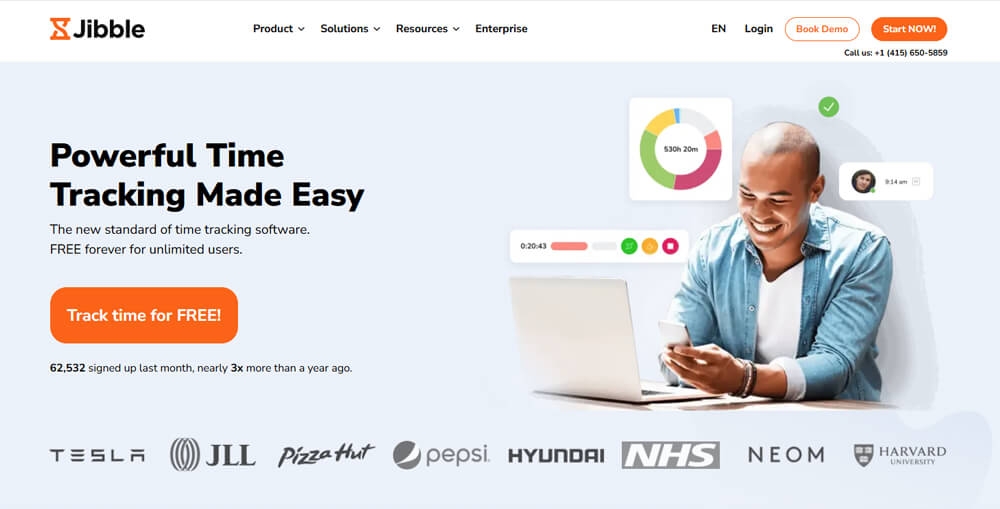
Jibble is one of the best free productivity apps for businesses looking for an effortless way to track time, attendance, and workforce activity. Built for teams of any size, Jibble offers a free forever plan with unlimited users, projects, and clients, making it a powerful choice for startups, growing companies, and larger organizations that need a scalable time and attendance solution without added costs.
With Jibble, teams can track work across multiple projects, log time against clients, and access real-time insights that support better planning and decision-making. Managers benefit from clear timesheets, time fraud prevention, productivity reports, and integrated workflows that keep everyone aligned. Its intuitive interface, open API, and seamless integrations with tools like Slack and Microsoft Teams make it easy for teams to adopt, while mobile and web apps support flexible work across different environments.
Trusted by leading global companies, Jibble helps teams stay organized, improve accountability, and boost productivity through simple, structured, and accessible tools.
Pros
- Free forever for unlimited users.
- Real-time visibility into attendance, productivity, and timesheets.
- Built-in anti-fraud features like facial recognition and GPS verification.
Cons
- Some advanced features require upgrades.
- Customization options can vary by plan.
Why we chose this tool
- Completely free solution for teams of any size, with no user limit.
- Easy to use with robust features for time, attendance, and productivity tracking.
- Overall the highest-rated time tracking software on G2, Capterra, and GetApp.
Pricing Info
- Free forever for unlimited users.
- Premium pricing starts from $3.49.
3. Rydoo
Best app for travel and expense management

Rydoo is a cloud-based app for businesses with a suite of travel and expense management solutions. This best free productivity app includes features such as travel booking, expense tracking, reimbursement management, and invoicing.
With Rydoo, businesses can easily manage employee expenses and travel bookings, as well as automate the reimbursement process. This can save time and reduce the risk of errors in expense reporting, which can be a significant burden for businesses.
Additionally, Rydoo offers a mobile app that allows employees to easily submit expenses and manage travel arrangements while on the go. This can help to improve efficiency and streamline the expense management process.
Overall, Rydoo is a comprehensive solution that can help businesses better manage their travel and expense processes, saving time and reducing costs.
Pros
- Streamlined expense management.
- Simplified travel booking.
- Integration with accounting software.
Cons
- Limited customization options.
- Learning curve for new users.
- May not be suitable for complex expense reporting needs.
Why we chose this tool
- Streamlines expense management for teams and individuals.
- Mobile app for easy receipt scanning and expense reporting.
- Integrates with major accounting systems for seamless reporting.
Pricing Info
- The basic version starts from $8.
- Premium pricing starts from $10.
4. Spike
Best for team communication and email management
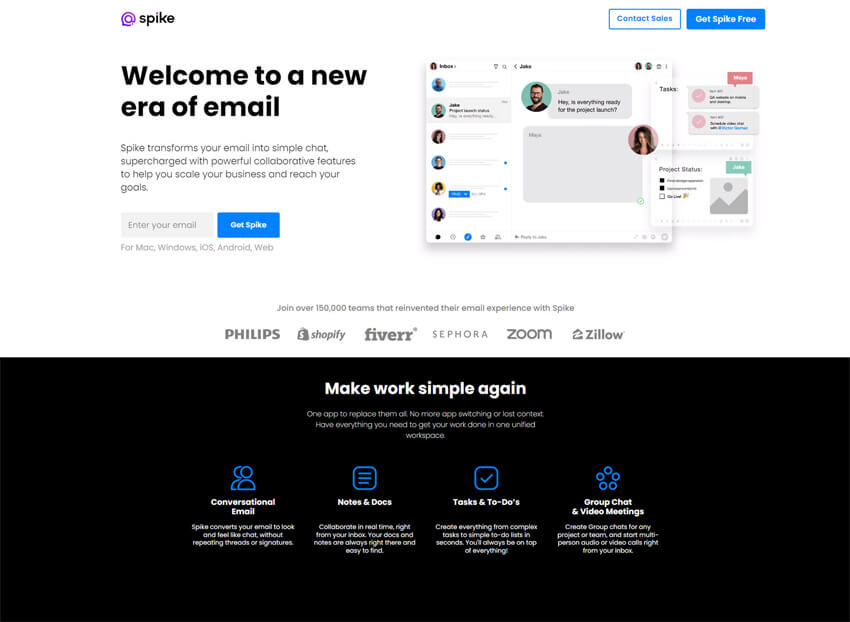
Spike merges email and chat into a single, streamlined platform, transforming traditional email into a real-time conversational experience that reduces clutter and improves workflow efficiency. By combining emails, chats, notes, and tasks in one place, this best free productivity app allows teams to collaborate seamlessly without switching between apps.
Features like shared notes, collaborative task management, and calendar integration keep conversations organized and teams aligned. Spike’s intuitive interface and real-time capabilities make it ideal for teams looking for a dynamic, all-in-one communication solution.
Pros
- Conversational email for real-time discussions.
- Consolidation of emails, tasks, notes, and chat.
- Intuitive and modern user interface.
Cons
- Limited customization options.
- It may require adjustment time for traditional email users.
Why did we choose this tool?
- Combines email, chat, and collaboration in one app.
- Focuses on productivity with integrated task management.
- Easy-to-use interface with a conversational approach to email.
Pricing Info
- Free for up to 3 members.
- $4 per member above that.
5. MailerLite
Best for Simple email marketing and automation.
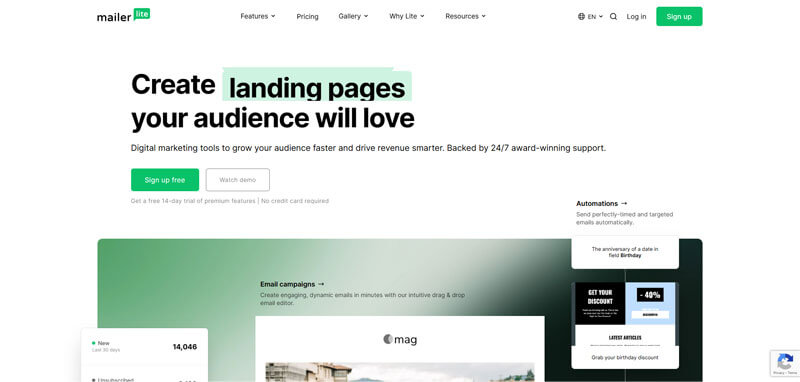
MailerLite is an email marketing and automation platform designed to help teams create, send, and track campaigns with ease. It offers drag-and-drop email builders, templates, automation workflows, and subscriber management. MailerLite also supports landing pages and pop-ups, making it a solid alternative for businesses focusing on email outreach and customer communication.
Pros
- Easy drag-and-drop email builder.
- Simple automation and campaign tracking.
- Intuitive interface for beginners.
Cons
- Limited advanced CRM features.
- Automation options are simpler than some enterprise tools.
Why we chose it
- Strong SendinBlue alternative for email teams.
- Lower cost and easier setup for small businesses.
- Clear focus on simple, usable email campaigns.
Pricing Info
- Free: Yes.
- Premium Start: ~$10/month (varies by subscriber count).
6. Funnel
Best app for Sales and Marketing Automation
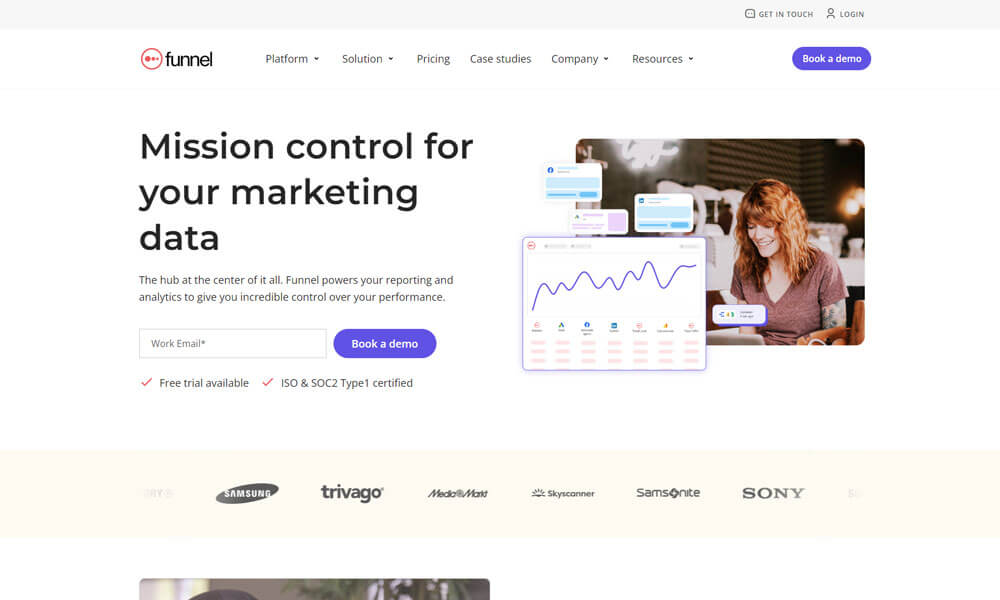
Funnel is one of the best free productivity apps for small businesses. It integrates with all marketing and advertising platforms and allows you to feed your data anywhere you want it. It includes out-of-the-box integrations with 400+ data sources. It automatically feeds data into your Business Intelligence tool, your Data Warehouse, Google Sheets, Google Data Studio, Google Analytics or any other visualization tool.
Pros
- Data aggregation from multiple sources.
- Customizable reporting and dashboards.
- Integration with various marketing platforms.
Cons
- Complexity for non-technical users.
- Requires a significant investment for advanced features.
- Limited support for certain data sources.
Why we chose this tool
- Aggregates data from various marketing platforms into one dashboard.
- Powerful reporting tools for better decision-making.
- Integrates with top ad platforms and analytics tools.
Pricing Info
- The basic version is free.
- Premium pricing starts from $1100.
7. FreeConferenceCall
Best app for conferencing and collaboration
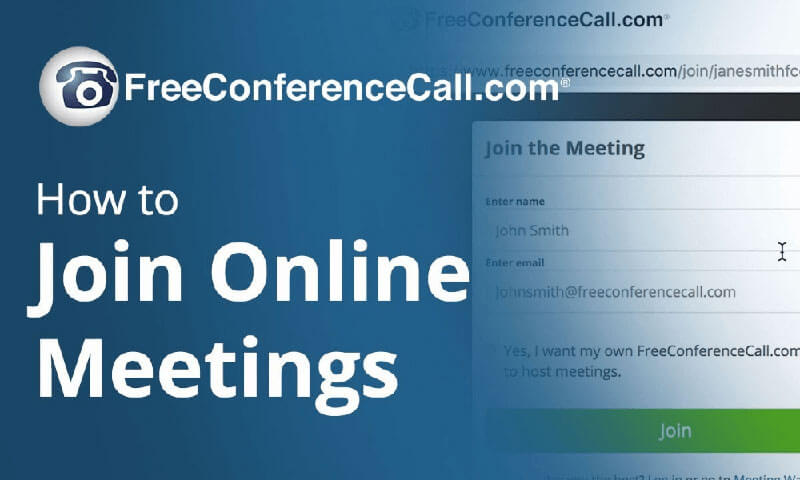
FreeConferenceCall.com is one of the best free productivity apps for conferencing and collaboration services. Their service offerings around the globe with unlimited use include high-quality free HD audio conferencing, web conferencing and screen sharing, audio and visual recordings, customized greetings, security features, desktop scheduling, and mobile applications.
Pros
- Free conferencing solution.
- Screen sharing and recording capabilities.
- International dial-in numbers.
Cons
- Basic features compared to paid alternatives.
- Reliability issues during peak usage times.
Why we chose this tool
- Provides high-quality audio and video conferencing.
- No-cost option with unlimited access to meetings.
- Supports screen sharing and collaborative tools for meetings.
Pricing Info
- The basic version is free.
- Premium pricing starts from $4.
8. Winmo
Best app for Sales Prospecting and Intelligence
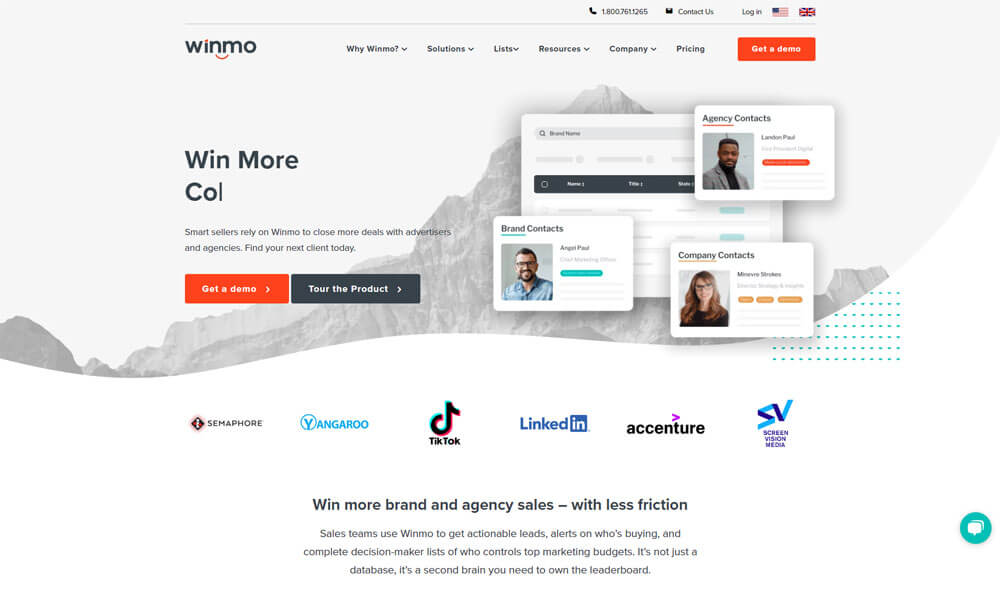
Winmo is one of the best free productivity apps for startups and a predictive sales intelligence platform for finding the right marketing contacts at brands and agencies.
This personalized, new business resource streamlines the sales process and drives more profitable connections through dynamic, predictive search and relationship mapping, giving sales professionals the competitive advantage to win more in an ever-changing market. It is the shortcut to more deals in a pipeline, more territories to break into, more wins, and most importantly, more fist bumps. From reliable decision-maker information to accurate sales predictions, Winmo raises the bar for prospecting.
Pros
- Sales intelligence for lead generation.
- Integration with CRM systems.
- Contact database for targeted outreach.
Cons
- Limited coverage of industries and regions.
- Requires manual input for certain data.
- Pricing may be on the higher side for smaller businesses.
Why we chose this tool
- Excellent for sales teams targeting ad agencies and brands.
- Offers detailed information about key decision-makers.
- Strong data-driven insights for lead generation and outreach.
Pricing Info
- Annual plans start at $10,995.
9. Skedulo
Best for mobile workforce management for frontline teams.
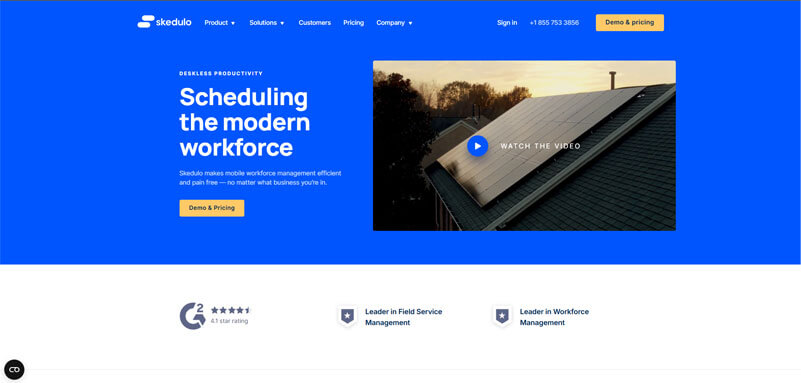
Skedulo is a workforce and scheduling platform that helps businesses manage frontline staff, job assignments, schedules, mobile communications, and task coordination. Skedulo centralizes work assignments and communication for mobile teams, making it ideal for field workers, service crews, and on-site professionals.
Pros
- Strong mobile workforce scheduling.
- Real-time assignment and updates.
- Useful for field and frontline teams.
Cons
- Not built as a full HR suite.
- Some advanced features require premium plans.
Why we chose it
- Clear replacement for frontline workforce management.
- Improves coordination of mobile teams.
- Supports scheduling, tasks, and updates in one place.
Pricing Info
- Free: Trial available.
- Premium Start: Plans start ~$15–$20/user/month.
10. ReferralYogi
Best app for Referral Marketing
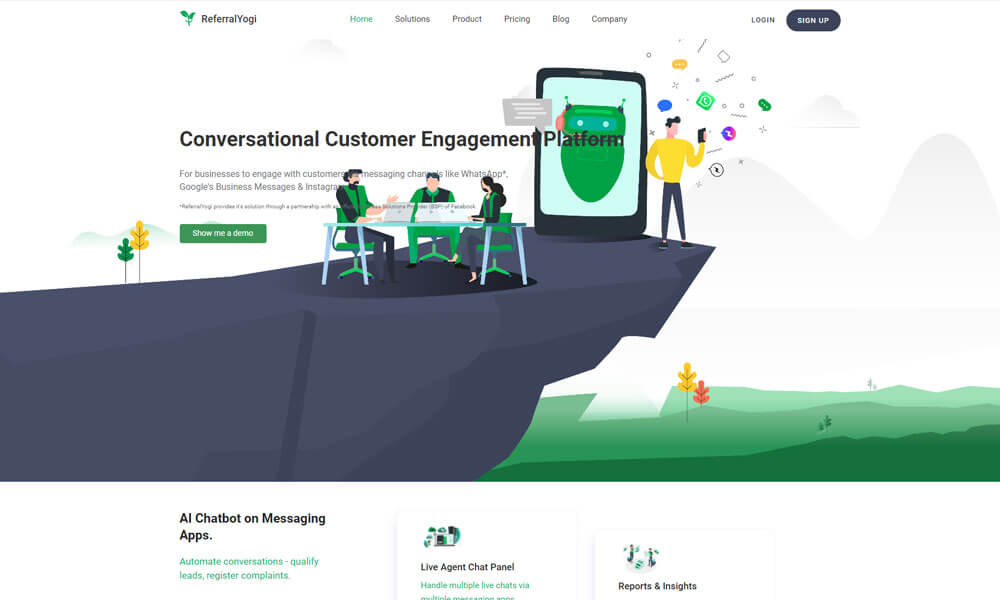
ReferralYogi is a SaaS-based, free productivity app that promises sustainable revenue growth for businesses. It is one of the best productivity apps for small and big businesses for all the right reasons. They help you identify your promoters, encourage referrals, manage references & create social buzz for your brands.
Pros
- Referral marketing automation.
- Integration with e-commerce platforms.
- Customizable referral campaigns.
Cons
- Limited support for certain industries.
- Learning curve for beginners.
- Pricing may not be suitable for small businesses.
Why we chose this tool
- Helps businesses set up and manage referral programs.
- Customizable to match business needs and branding.
- Easy integration with platforms like Shopify and WooCommerce.
Pricing Info
- The basic plan starts from $19.95 per month.
11. Smartsheet
Best app for Project Management and Collaboration
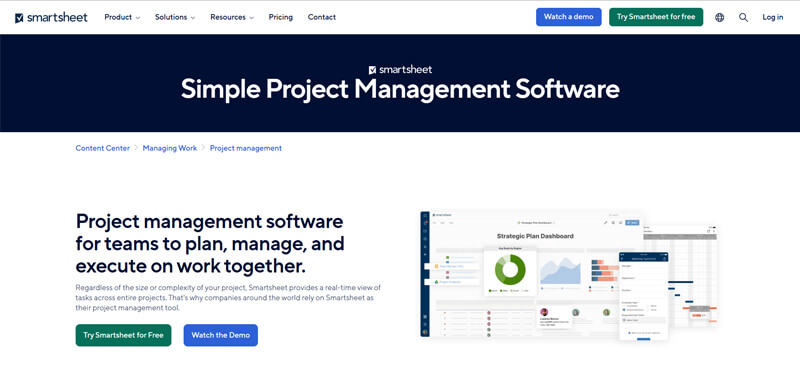
Smartsheet is a business app for startups with a familiar spreadsheet-like interface that helps teams plan, track, and manage real-time projects. Smartsheet features include various project management tools, such as document and resource management, project reporting, task management, file sharing, and timeline tracking.
Smartsheet can help teams standardize a project process, maximize productivity, and improve collaboration with automated workflow options that fit individual work preferences. Within the platform’s project management tools, data can be sorted using card, grid, Gantt chart, and calendar view. With a real-time dashboard, teams can track project status, manage resources, and create and assign tasks to improve overall visibility and work efficiency.
With the Smartsheet app, small teams can access project information and workflow data while on the go. The mobile app is compatible with iOS and Android devices.
Pros
- Flexible and customizable project management solution.
- Integration with various third-party apps and services.
- Collaboration features like comments, attachments, and notifications.
Cons
- Steeper learning curve for complex features.
- Limited automation capabilities compared to specialized tools.
- Small teams may find it costly.
Why we chose this tool
- Combines project management with the flexibility of spreadsheets.
- Real-time collaboration on tasks, timelines, and resources.
- Robust reporting and automation tools for enhanced productivity.
Pricing Info
- The basic version is free.
- Premium pricing starts from $7.
12. Monday.com
Best app for team and task management
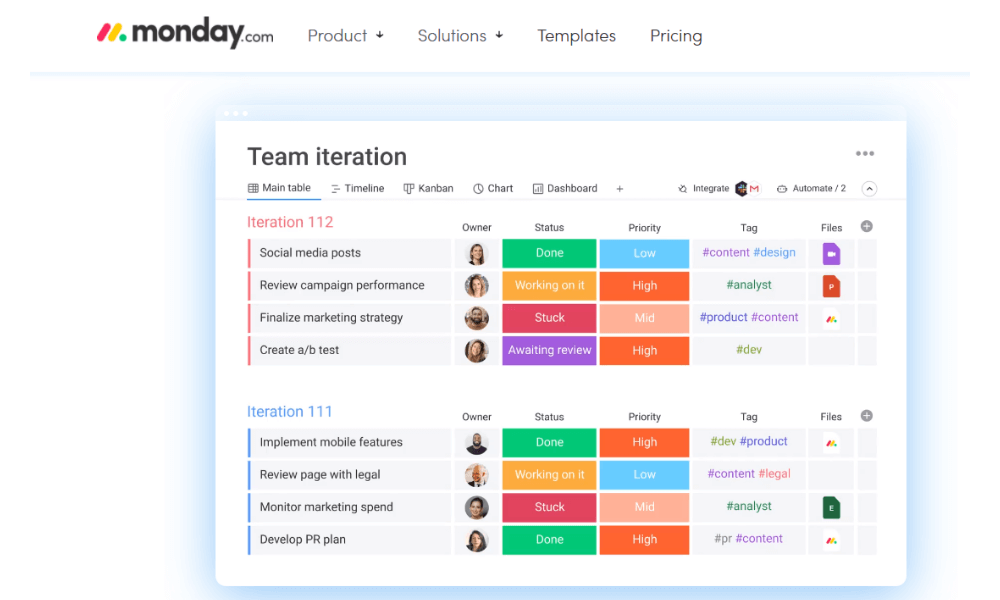
Monday.com is a business app for startups that helps teams plan together efficiently and execute complex projects to deliver results on time. monday.com team management and task management tool allows for ease of use and flexibility to onboard any team and manages multiple projects across the entire team. With various productivity features such as time-tracking, an integrated kanban board, automated notifications, workflow automation, dependencies, multiple views and calendar integration, teams can achieve better and faster results for every project milestone.
monday.com can integrate with various third-party team collaboration and task management applications such as Google Drive, Dropbox, Pipedrive, Google Calendar, JIRA, MailChimp, and more. monday.com app is available for mobile devices via iOS and Android apps.
Pros
- Visual and intuitive task management interface.
- Customizable workflows and templates.
- Integration with popular productivity tools.
Cons
- Limited customization options in the basic plan.
- Pricing may be higher compared to similar tools.
- Steep learning curve for advanced features.
Why we chose this tool
- Visual and intuitive platform for team collaboration.
- Customizable workflows and automation to streamline processes.
- Integrates with a wide range of apps like Slack, Google Drive, and more.
Pricing Info
- The basic version is free.
- Premium pricing starts from $9.
13. Interact Intranet
Best for an employee intranet that connects people and knowledge.
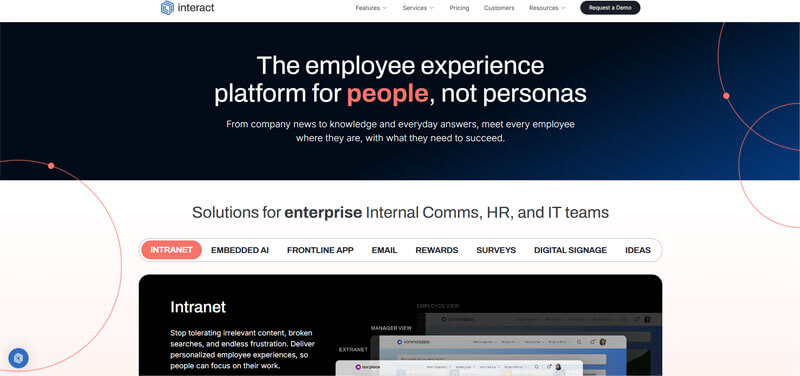
Interact Intranet is an internal communication and employee engagement platform that provides a centralized space for news, HR updates, policies, shared documents, and team hubs.Interact helps teams stay connected, support employee experiences, and reduce reliance on scattered email and chat threads.
Pros
- Central hub for internal comms and knowledge.
- Easy content creation and employee updates.
- Built-in search and personalization.
Cons
- Not focused on real-time chat.
- Enterprise pricing can be high.
Why we chose it
- Strong alternative for intranet needs.
- Improves internal employee communication.
- Helps deliver news, HR updates, and policies clearly.
Pricing Info
- Free: Trial available.
- Premium Start: Typically starts around $3–$8/user/month.
14. MURAL
Best for a collaborative digital whiteboard for team creativity.
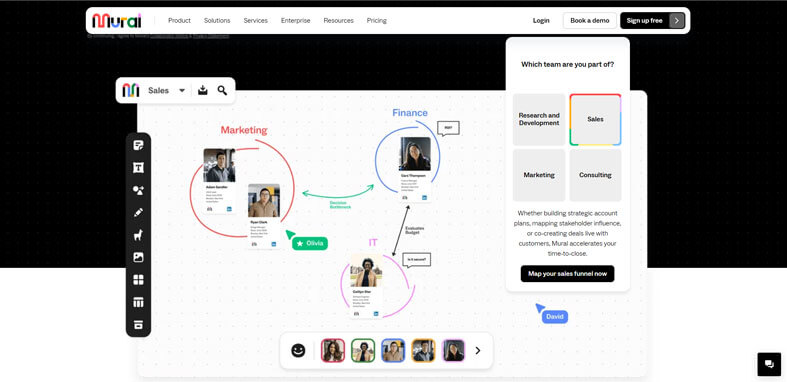
MURAL is an online visual collaboration platform that offers shared whiteboards where teams can brainstorm, plan, map processes, and co-create visually. MURAL supports sticky notes, templates, drawing tools, and real-time or asynchronous collaboration. It is popular among design, product, and strategy teams looking for immersive visual teamwork.
Pros
- Intuitive visual collaboration board.
- Real-time and asynchronous support.
- Templates for ideation and planning.
Cons
- Not focused on traditional chat or task management.
- Visual boards can feel empty without training.
Why we chose it
- Fits creative and planning use cases.
- Great for remote and hybrid brainstorming.
- Strong alternative for enterprise whiteboarding.
Pricing Info
- Free: Yes (limited).
- Premium Start: ~$12/user/month.
15. Connecteam
Best app for Employee Management and Communication.

Connecteam was designed and built as a true all-in-one solution. Easily engage and manage non-desk employees with a true all-in-one mobile app. Connecteam offers a powerful, mobile-first platform that helps improve communication, enhance daily processes, and save time.
This best free productivity app can be used to manage multiple tools to enhance employee communication and engagement, employee training and onboarding, employee scheduling, time tracking, timesheets management, digital checklists, and forms, task management, HR and welfare, knowledge centers, files storage, and much more!
Pros
- Employee management and communication in one platform.
- Customizable workflows and forms.
- Mobile app for on-the-go access.
Cons
- Limited customization options for advanced users.
- Features may be overwhelming for smaller teams.
- Pricing may not be suitable for all budgets.
Why we chose this tool
- Employee management platform with task, schedule, and communication tools.
- Customizable for any industry with a focus on mobile-first experience.
- Built-in features for employee training, feedback, and reporting.
Pricing Info
- The basic version is free.
- Premium pricing starts from $29.
16. Quip
Best App for Team Collaboration and Document Sharing.

Quip is a collaborative productivity suite from Salesforce that combines documents, spreadsheets, and chat in one platform. It allows teams to work together in real-time, with changes instantly visible to all participants. Users can embed task lists, spreadsheets, and documents within chat threads. Quip integrates with Salesforce CRM, making it ideal for sales and operations teams.
It supports mobile and desktop access, ensuring collaboration anytime and anywhere. Teams can comment, tag members, and track edits easily. Its intuitive interface reduces the learning curve for new users. Security is enterprise-grade, with data encryption and compliance support. Quip also offers templates for reports, project planning, and meeting notes. Automation and workflow features help teams stay organized and productive.
Pros
- Real-time collaboration on docs and spreadsheets.
- Native chat integration within documents.
- Salesforce CRM integration.
Cons
- Limited advanced spreadsheet functions.
- Can be expensive for smaller teams.
Why we chose this tool
- Centralizes documents, spreadsheets, and communication.
- Ideal for Salesforce users.
- Simplifies collaborative workflows.
Pricing Info
- Basic: $10/user/month.
- Premium: $25/user/month.
17. TMetric
Best App for Time Tracking and Productivity Management.
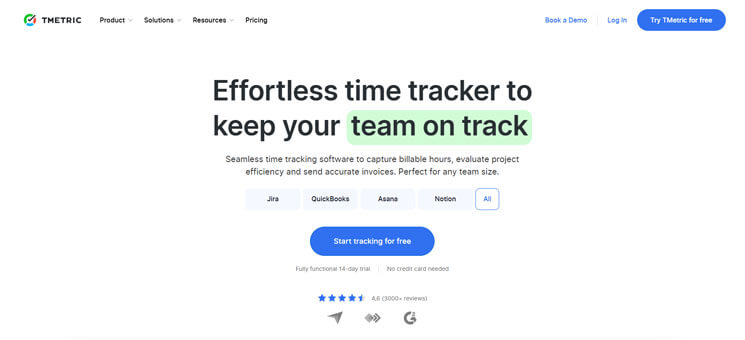
TMetric is a time tracking software designed for freelancers, small teams, and enterprises. It tracks time spent on tasks, projects, and clients automatically. Users can generate detailed reports for billing and productivity analysis. It integrates with popular project management apps like Jira, Trello, and Asana.
TMetric supports desktop, web, and mobile platforms. Teams can manage budgets, track work hours, and analyze performance efficiently. It helps optimize workflows and identify bottlenecks. The app provides automatic reminders and idle time tracking to enhance accuracy. TMetric offers detailed invoicing based on tracked time. Security features include role-based access and data encryption.
Pros
- Accurate time tracking and reporting.
- Integrates with project management tools.
- Automated invoicing for clients.
Cons
- Limited advanced project management features.
- Free version lacks some integrations.
Why we chose this tool
- Focused on productivity and time efficiency.
- Ideal for billing and client work tracking.
- Supports cross-platform usage.
Pricing Info
- Basic: Free plan available.
- Premium: $5/user/month.
18. TheToolX
Best App for Workflow Automation and Task Optimisation.
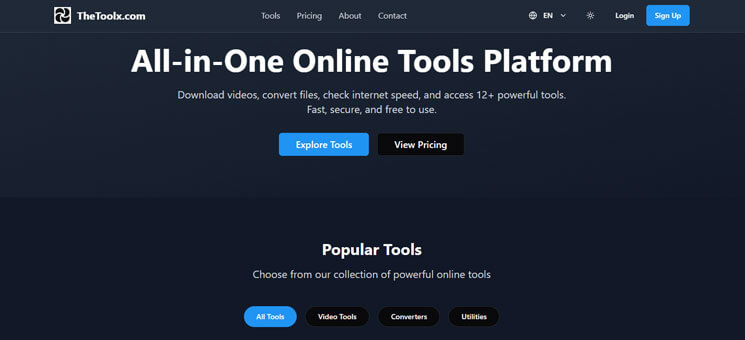
TheToolX is a web-based productivity platform from India offering a suite of tools for business users. It includes writing assistants, formatting utilities, SEO tools, and basic image and code editors. The platform is designed to help teams and individuals improve workflow efficiency. Users can access the tools online without heavy software installations.
TheToolX simplifies repetitive tasks and creative work processes. Its interface is beginner-friendly and supports multiple file types. It includes analytics for SEO and content improvement. Collaboration features allow teams to work together on projects. Cloud storage ensures data is secure and accessible anywhere. Regular updates expand functionality and improve performance.
Pros
- Wide range of productivity tools in one platform.
- Cloud-based, no installation required.
- Beginner-friendly interface.
Cons
- Limited advanced analytics features.
- Some tools are basic compared to specialized apps.
Why we chose this tool
- All-in-one productivity solution.
- Accessible online without installation.
- Useful for diverse business tasks.
Pricing Info
- Basic: Free plan available.
- Premium: $7/month.
19. Rippling Spend
Best App for Business Expense and Spend Management.
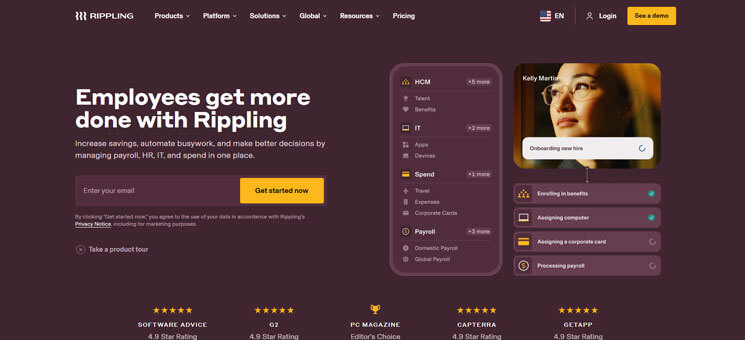
Rippling Spend is a unified spend management and productivity platform. It integrates corporate cards, bill pay, travel management, and payroll into a single interface. Teams can track expenses in real-time and set spending limits for departments or employees. The platform connects with existing accounting and HR software.
Rippling Spend helps businesses manage budgets efficiently. Reports and dashboards provide insights into spending patterns and approvals. Automation reduces manual data entry and streamlines reimbursements. It supports multi-currency operations for global teams. The interface is intuitive and accessible across devices. Security measures include role-based permissions and compliance tracking.
Pros
- Centralized spend management.
- Real-time expense tracking and reporting.
- Automation reduces manual work.
Cons
- Can be costly for small businesses.
- Some integrations require premium subscriptions.
Why we chose this tool
- Combines multiple financial and productivity functions.
- Simplifies expense tracking for teams.
- Reduces manual accounting tasks.
Pricing Info
- Basic: Contact for custom pricing.
- Premium: Contact for enterprise pricing.
20. BizChat
Best App for Secure Team Messaging and Collaboration.

BizChat is an AI-powered web application designed for small business owners to create and manage business plans efficiently. It allows users to draft, edit, and collaborate on business documents with guided AI prompts. The platform caters to users with varying levels of digital skill, making complex planning easier. It provides templates, automated suggestions, and workflow guidance.
Teams can share documents, track changes, and receive feedback in real-time. AI capabilities help ensure content is structured and professional. BizChat supports cloud storage for secure access. Analytics and progress tracking tools monitor planning performance. It is accessible via web browsers, enabling remote collaboration. Overall, it streamlines business planning and improves team coordination.
Pros
- AI-assisted business planning.
- Easy to use for all digital skill levels.
- Real-time collaboration.
Cons
- Limited non-business functionality.
- Advanced AI features may require a premium.
Why we chose this tool
- Makes business planning accessible for small teams.
- AI assistance improves productivity.
- Simplifies collaboration and document management.
Pricing Info
- Basic: Free plan available.
- Premium: $15/month.
How to choose the right productivity apps for your business?
- Collaboration features: Consider the collaboration capabilities of the productivity tool. Look for features like real-time messaging, file sharing, task assignments, and team collaboration boards that foster effective communication and teamwork among team members. This promotes seamless collaboration and ensures everyone stays on the same page, increasing overall productivity and efficiency.
- Assess your needs: Identify your specific requirements and goals for the tool, such as task management, communication, collaboration, or time tracking.
- User-friendly interface: Look for a tool with an intuitive and user-friendly interface that aligns with your preferences and ease of use.
- Compatibility and integration: Ensure the tool integrates well with your existing software and platforms, allowing seamless data sharing and collaboration.
- Scalability: Consider whether the tool can accommodate your growing team and evolving business needs.
- Customization options: Look for a tool that allows customization to adapt to your unique workflows and preferences.
- Security and privacy: Prioritize tools that offer robust security measures to protect your sensitive data and ensure privacy.
- Customer support: Evaluate the level of customer support provided by the tool’s vendor to address any technical issues or concerns.
- Pricing and value for money: Compare the pricing plans and features offered by different tools to determine the best fit for your budget and the value it provides.
- User reviews and recommendations: Research user reviews and seek recommendations from trusted sources to gauge the tool’s reliability and user satisfaction.
Benefits of using productivity apps
- Efficiency: These apps help streamline tasks and automate repetitive processes, allowing users to complete work more efficiently and save time.
- Organization: It provides tools to organize and prioritize tasks, deadlines, and projects, ensuring that nothing falls through the cracks.
- Collaboration: These apps often include features for team collaboration, enabling seamless communication, file sharing, and real-time collaboration on projects.
- Time Management: With features like task scheduling, reminders, and time tracking, these apps help users manage their time effectively and stay on top of deadlines.
- Increased Productivity: By eliminating manual tasks, reducing distractions, and offering workflow optimization, productivity apps enable individuals and teams to accomplish more in less time.
- Data Analysis: Many productivity tools provide insights and analytics to help users track progress, identify bottlenecks, and make data-driven decisions.
- Accessibility: Cloud-based apps allow users to access their work and collaborate from anywhere, using any device with an internet connection.
- Accountability: These apps often include features for tracking progress, assigning tasks, and monitoring performance, fostering accountability among team members.
- Resource Management: It helps manage resources effectively, such as project budgets, inventory, and personnel, optimizing resource allocation and utilization.
- Improved Communication: By providing centralized communication channels and facilitating collaboration, these apps enhance communication within teams and across departments.
Conclusion
These multitudes of best free productivity apps can revolutionize the way businesses operate. With features ranging from task management and team collaboration to time tracking and document organization, these apps offer diverse solutions to enhance productivity and efficiency. By leveraging these tools, businesses can streamline their workflows, improve communication, and maximize their output.
Whether it’s project management, team collaboration, note-taking, or document sharing, there’s an app tailored to meet the unique needs of every organization. The key lies in assessing your specific requirements, understanding the features and benefits of each app, and selecting the right tools that align with your business goals. By embracing these top best free productivity apps, businesses can unlock their true potential, optimize their operations, and stay ahead in the fast-paced digital landscape of 2026 and beyond.
Frequently Asked Questions
What is the #1 productivity app?
Clariti is your #1 productivity app, offering AI-powered communication that combines emails, chats, documents, and more in one platform. With its contextual organization and focused conversations, Clariti streamlines collaboration, saving time and enhancing productivity for your team. Experience the power of Clariti for seamless and efficient workflow management.
What productivity software is best?
Clariti stands out as the best productivity software with its AI-powered communication hub, streamlining collaboration across emails, chats, and documents. With Clariti, you’ll experience enhanced efficiency, organized workflows, and seamless team collaboration, making it the top choice for boosting productivity in any business setting.
What are the top 3 productivity apps?
Clariti, Asana, and Basecamp, known as the top 3 productivity apps, are distinguished for their unique features. Among them, Clariti stands out with its innovative fusion of email and chat, providing users with a potent tool for staying organized and boosting productivity.
What apps are needed for start-ups?
Start-ups benefit from essential apps like Clariti, streamlining communication by consolidating email, chat, calls, documents, and to-do lists in one platform. Project management apps aid in deadline tracking and progress monitoring, while financial tracking apps enable wise budgeting and expense management.
What apps help with productivity?
Clariti, a leading productivity app, innovatively combines email and chat to enhance efficiency. By reducing unnecessary emails and integrating messages, Clariti helps users stay organized. The conversation feature enables quick access to essential messages, streamlining communication for optimal productivity.


Start for FREE with Personal CRM
We too hate spam! Your email is secure with us.

Spot secured. You're in.


No more switching tools.

No more lost context.

Just Clarity.

Keep an eye out for emails from @clariti.app.
(and check your spam folder just in case—whitelisting us helps ensure you don’t miss a thing).

